
How AI Enhances Customizable Dashboards
How AI Enhances Customizable Dashboards

How AI Enhances Customizable Dashboards
AI is transforming how social media dashboards function. Instead of just managing posts, these platforms now act as smart tools that save time and improve results. Here's how:
- Smart Scheduling: AI predicts the best times to post based on audience behaviour, boosting engagement by up to 65%.
- Content Assistance: Tools like Posterly’s Caption Assist suggest captions, hashtags, and even generate visuals, saving up to 10 hours weekly.
- Automation: Features like bulk posting and cross-platform publishing streamline workflows, cutting repetitive tasks by 70%.
- Visual Creation: AI tools generate platform-ready images and videos, ensuring posts align with branding.
- Integration: Add-ons like GitHub and Google Drive connections simplify content management.
Posterly is an example of how AI-powered dashboards manage everything from scheduling to analytics, helping users focus on what matters most. Plans start at AED 25.70/month.
::: @figure 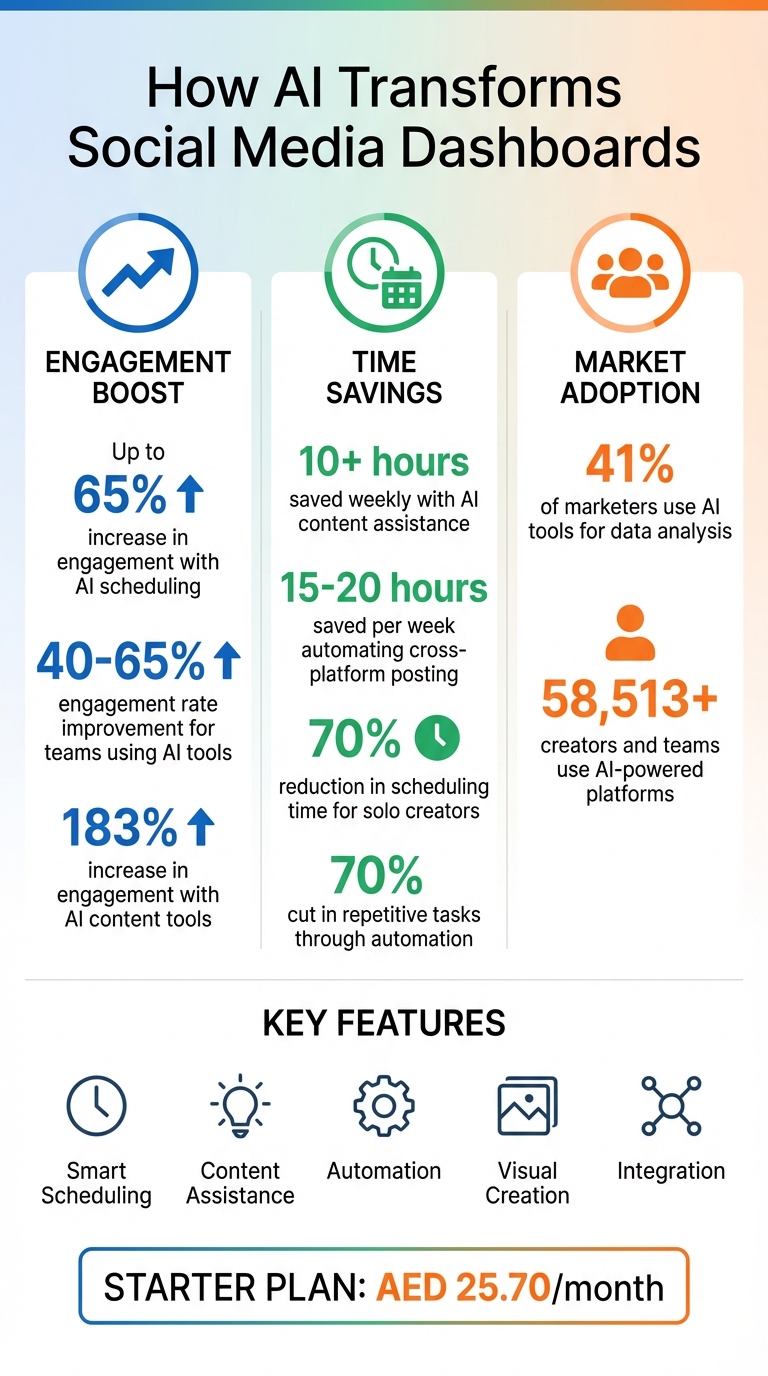 {AI Dashboard Benefits: Time Savings and Engagement Statistics}
:::
{AI Dashboard Benefits: Time Savings and Engagement Statistics}
:::
How AI Predictive Analytics Improves Scheduling
What Predictive Analytics Does in Dashboards
Predictive analytics taps into historical data to uncover audience behaviour patterns. By analysing past engagement metrics - like likes, shares, and comments - AI pinpoints the best times to publish content. It even identifies platform-specific trends; for example, it might observe that users prefer watching videos during lunch breaks but interact more with text posts in the evening. Machine learning algorithms process huge amounts of data, refining future scheduling recommendations by incorporating successful strategies.
Currently, about 41% of marketers rely on AI tools for data analysis to boost campaign ROI. Teams using AI for social media scheduling often see engagement rates climb by 40–65% [4][5]. Additionally, automating tasks like cross-platform posting - adjusting for character limits, hashtags, and image formats - can save marketing teams 15–20 hours each week [5].
Posterly's Hey Posterly tool takes these insights further by aligning posts with peak engagement times, streamlining the scheduling process.
Using Posterly for Smart Scheduling
Posterly's Hey Posterly tool offers an intuitive chat-based scheduling experience. Just tell the AI what to post and when, and it takes care of the rest - managing queues in real time and preventing duplicate posts [1]. By leveraging predictive analytics, it ensures your content reaches audiences during high-engagement periods across more than 10 platforms, including Instagram, TikTok, and LinkedIn [1][6]. Solo creators juggling multiple accounts have reported cutting their scheduling time by 70% after adopting these AI-driven workflows [1].
sbb-itb-f7b3a33
Create Dashboards in Seconds With AI (It's Mind-Blowing 🤩)
::: @iframe https://www.youtube.com/embed/VIFyXj31iYE :::
AI Content Creation and Suggestions
AI goes beyond just scheduling - it’s also a game-changer for content creation. It can provide tailored suggestions and even automate media production. With AI-powered tools, you can generate text in various tones while maintaining a consistent brand voice. Plus, AI can analyse engagement trends to recommend the best topics, formats, and captions for your audience. Users report a 183% increase in engagement and save over 10 hours each week using these features [6].
How to Use AI Caption Assist
Smart scheduling ensures your posts go live at the perfect time, but AI can also boost the quality of your content. Posterly’s Caption Assist helps you craft platform-specific captions, hashtags, and variations, all tailored to your audience. As Lisa Thompson explains:
"Love how it learns my brand voice over time. The AI suggestions keep getting better the more I use it." [3]
With features like Preview Per Platform and the ability to set Brand Voice & Visual Guidelines, you can ensure every post feels authentic and aligns with your brand. Bulk scheduling further simplifies your workflow, allowing you to upload multiple posts at once and maintain a steady online presence. All these tools are accessible from a single dashboard, making it easier to stay consistent on social media.
The Starter plan includes 30 Caption Assist uses per month for AED 25.70, while the Pro and Power User plans offer unlimited access.
Creating Images and Videos with Nano Banana and Veo
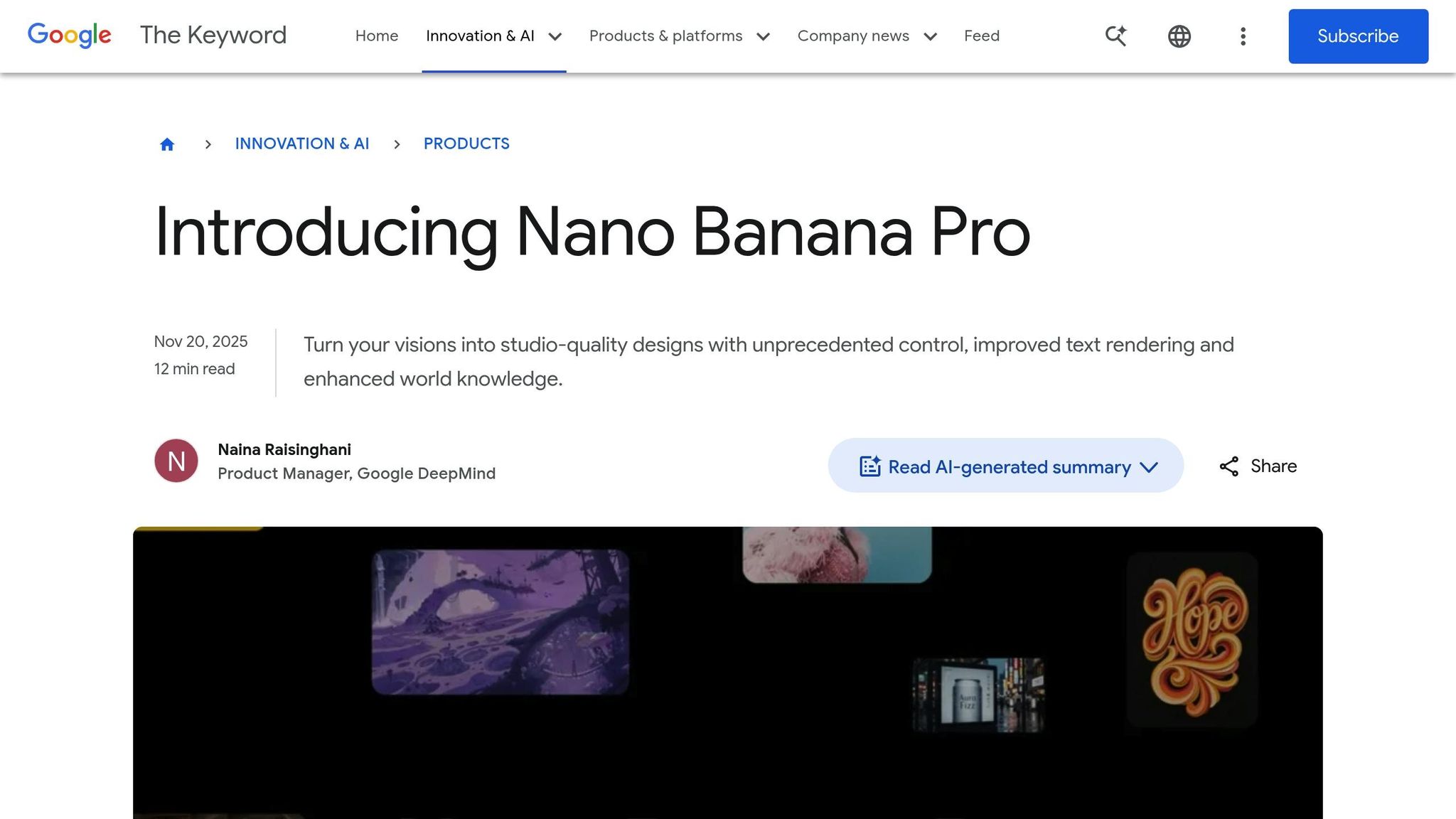
Posterly also includes tools for creating stunning visuals. Nano Banana Pro, powered by Google’s Gemini, generates high-quality images directly within your dashboard. Meanwhile, Veo helps you create engaging video content. Simply describe the "vibe" you’re going for - like “soft pastel,” “cinematic,” or “moody” - and the AI will deliver. You can even upload reference images and choose aspect ratios (e.g., 1:1, 4:5, 9:16) to keep your branding consistent.
Features like Auto-Fix and Video Validation ensure that your visuals meet platform standards automatically. JC Casagan highlights:
"The AI Writer tool is particularly remarkable, helping me overcome creative blocks and generate engaging content quickly." [6]
These visual creation tools are fully integrated into the Posterly dashboard, making content production seamless and efficient.
- The Starter plan includes 10 Nano Banana generations per month for AED 25.70/month.
- The Pro plan offers 30 generations for AED 55.10/month.
- The Power User plan provides unlimited Nano Banana generations and 14 Veo AI Video credits each month for AED 91.80/month.
Automating Workflows with AI
AI takes the hassle out of repetitive tasks, saving time and effort. For example, Posterly's Auto Post feature lets you set up a posting schedule and campaign prompts. From there, it generates and schedules platform-specific posts automatically [2]. This means you can maintain a steady online presence without the need to log in daily to manage content.
Posterly also supports one-click multi-platform publishing across 11+ platforms, including X, LinkedIn, Facebook, Instagram, and TikTok [8][6]. With this, you can publish a single post across all platforms instantly. Plus, AI handles the technical details - like resizing images, trimming videos, and compressing files - so your content meets each platform's requirements [6].
For teams managing large volumes of content, features like Bulk Post and Recurring Posts take automation to the next level [9]. The centralised dashboard provides analytics and engagement metrics, helping you schedule posts during peak activity times with optimal-time suggestions [7][9]. Over 58,513 creators and teams rely on Posterly, with agencies reporting they save an average of 10+ hours per week through automated publishing [6].
These tools lay the groundwork for even deeper integrations, simplifying workflows further.
Connecting GitHub and Google Drive with Posterly
Posterly's Ship & Share feature bridges the gap between development and marketing. It detects GitHub commits and turns them into AI-generated social media posts [3]. This is perfect for developers and tech teams looking to showcase their progress without disrupting their workflow. You can review the AI-generated posts, tweak the formatting, and either schedule them or publish immediately.
For media management, Posterly offers Google Drive integration, available in the Starter plan for just AED 25.70/month [3]. The Smart Upload feature allows you to import media directly into the dashboard. Simply connect your Google Drive account, browse your files, and pull images or videos into your drafts - no need to download and re-upload. This smoothens the process of handling media across various tools.
These integrations, combined with customisation options, ensure your content strategy stays organised and efficient.
Customising and Monitoring Your Dashboard
Posterly provides three layout options - Calendar, List, and Table views - so you can tailor your dashboard to fit your planning preferences [3]. With Filters & Labels, you can categorise posts by campaign or brand, making it easier to juggle multiple projects at once. The real-time queue tracks your post status, flags any issues, and retries automatically if something fails [3].
For high-volume operations, the Google Sheets → Auto Post workflow is a game-changer. It maps spreadsheet columns to AI prompts, media, and schedules, letting you publish at scale without needing to code or use middleware [10]. As Danisse Aboga shares:
"I've tried basically every scheduler out there but Posterly is the first one that doesn't feel like a second job." [3]
Built on Redis/BullMQ, the dashboard ensures enterprise-level reliability, so your posts go out on time - even during high-traffic periods [3]. Developers can also tap into Posterly's REST API and signed webhooks for real-time event tracking (e.g., post.published, post.failed), enabling seamless integration with existing software systems [8].
Conclusion
AI has transformed customisable dashboards from simple schedulers into dynamic content management hubs. By integrating predictive analytics, automated workflows, and AI-driven creative tools, these platforms tackle three major challenges for creators: saving time, avoiding creative burnout, and maintaining consistent messaging across various platforms.
Take Posterly, for example - it showcases how these advancements play out in practice. Creators and agencies have reported saving hours and boosting engagement thanks to its AI-powered workflows. By handling the technical details, Posterly allows users to focus on the creative and strategic aspects of their work.
The results speak for themselves. Engagement rates have soared with AI-driven scheduling tools. Whether you're a developer using Ship & Share to convert GitHub commits into shareable content, or a creator juggling multiple brands with the Calendar view, Posterly seamlessly fits into your workflow, rather than forcing you to adapt to it.
With cost-effective plans and enterprise-level dependability, Posterly supports over 58,513 creators and teams. These users have discovered that AI-enhanced dashboards go beyond automation - they give you back the time to focus on the work that truly matters [6].
FAQs
::: faq
How does AI help determine the best time to post on social media?
AI takes the guesswork out of timing your social media posts. By analysing audience behaviour, engagement patterns, and data unique to each platform, it pinpoints the moments when your audience is most active. This means your posts go live at the perfect time to catch their attention.
With this smart scheduling, you can see a noticeable boost in engagement. It ensures your content connects with the right audience when they're most likely to interact, giving your posts a better chance to shine. :::
::: faq
How does AI improve social media content creation?
AI is changing the way social media content is created, making it faster and more efficient. It helps creators and marketers produce high-quality, engaging posts in less time - something that’s crucial in today’s fast-moving digital landscape. By analysing performance data, AI can recommend the best content formats, optimal posting times, and even platform-specific tweaks to improve audience engagement.
It doesn’t stop there. AI takes care of repetitive tasks like resizing images, rewriting captions, and scheduling posts across different platforms. This not only saves time but also ensures a consistent look and feel across all channels. For example, tools like Posterly let users handle everything from a single dashboard, helping maintain their brand’s identity while cutting down on manual work.
The result? Teams can focus on creating targeted, impactful content without getting bogged down by routine tasks. This makes digital marketing efforts more efficient and effective. :::
::: faq
How does Posterly work with tools like GitHub and Google Drive?
Posterly connects effortlessly with GitHub and Google Drive, making content workflows smoother and more efficient. Through GitHub integration, users can turn code commits into shareable updates or marketing content, helping them showcase development progress to their audience in a more engaging way.
The Google Drive integration provides quick access to stored files, whether it's documents, images, or videos. This makes it simple to include these assets in social media posts or scheduled campaigns. Together, these integrations simplify workflows, boost collaboration, and save time - all from a single, easy-to-use dashboard. :::
Related Articles
How to Create 30 Days of Social Media Content Using AI Images in posterly
A practical guide to generating a full month of original social media images with posterly's AI image tool, writing captions for each one, and scheduling everything in a single session.
Read moreHow to Find the Best Time to Post on Social Media Using posterly's AI Scheduler
Stop guessing when to post. This guide explains how posterly's AI Scheduler analyses your audience activity and automatically picks the best posting times so your content gets seen by more people.
Read moreHow to Manage Google Business Reviews on Autopilot With posterly
A step-by-step guide to responding to Google reviews with AI, automatically requesting new reviews from customers, auditing your profile for local SEO, and turning your best reviews into social media content.
Read moreHow to Manage Multiple Client Social Media Accounts With posterly Workspaces
A practical guide for agencies and teams on using posterly Workspaces to organise client accounts, assign roles, get content approved, and schedule posts across dozens of social profiles without things getting messy.
Read more