
10 Best Drag-and-Drop Scheduling Tools 2026
10 Best Drag-and-Drop Scheduling Tools 2026

10 Best Drag-and-Drop Scheduling Tools 2026
Managing social media in 2026 is all about efficiency and automation. Drag-and-drop scheduling tools help save time, streamline workflows, and ensure a consistent posting schedule across platforms like Instagram, TikTok, LinkedIn, and Threads. These tools now offer advanced features like AI-generated captions, auto-publishing, and multi-platform support, making them essential for creators, businesses, and agencies.
Here’s a quick overview of the top tools:
- Posterly: Affordable plans (starting at AED 26/month), AI-powered captions, and unique features like GitHub integration.
- Later: Instagram-focused with grid previews and bulk scheduling, starting at AED 69/month.
- Hootsuite: Advanced analytics, bulk scheduling, and social listening, starting at AED 584/month.
- Buffer: Simple, cost-effective, and scalable, starting at AED 22/channel/month.
- Sprout Social: Premium features for enterprises, like sentiment analysis and AI tools, starting at AED 730/month.
- CoSchedule: Category-based scheduling and AI campaign generation, starting at AED 70/user/month.
- Planoly: Instagram-first approach with visual planning tools, starting at AED 59/month.
- Zoho Social: Comprehensive platform coverage and AI tools, starting at AED 55/month.
- SocialBee: Category-based queues and AI strategy tools, starting at AED 106/month.
- ContentCal: Colour-coded workflows and a user-friendly calendar, ideal for teams.
Quick Comparison
| Tool | Starting Price (AED) | Unique Features | Ideal For |
|---|---|---|---|
| Posterly | 26 | AI captions, GitHub integration | Developers, small businesses |
| Later | 69 | Instagram grid preview, bulk scheduling | Visual brands, creators |
| Hootsuite | 584 | Advanced analytics, bulk scheduling | Agencies, enterprises |
| Buffer | 22/channel | Simple interface, scalable plans | Small teams, solo creators |
| Sprout Social | 730 | Sentiment analysis, AI Assist | Enterprises |
| CoSchedule | 70/user | Category-based scheduling, AI campaigns | Marketing teams |
| Planoly | 59 | Visual Instagram planning, placeholders | Instagram-focused creators |
| Zoho Social | 55 | AI tools, bulk scheduling | Mid-sized businesses |
| SocialBee | 106 | Category queues, AI strategy | Agencies, content creators |
| ContentCal | Custom | Colour-coded workflows | Teams, collaboration |
These tools are designed to save time, improve workflows, and help you stay ahead in the fast-paced world of social media. Whether you’re a solo creator or managing multiple brands, there’s a tool here to fit your needs.
::: @figure 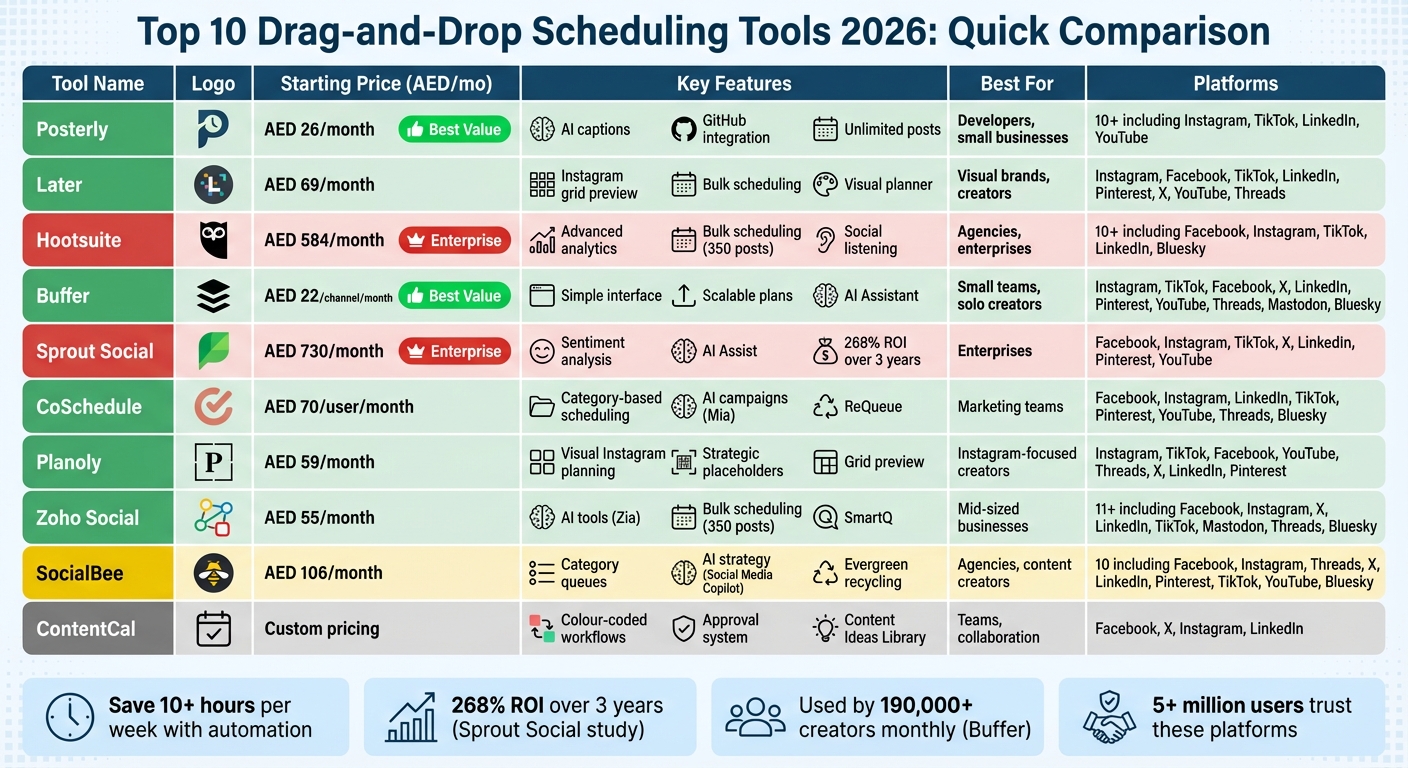 {2026 Social Media Scheduling Tools Comparison: Features and Pricing}
:::
{2026 Social Media Scheduling Tools Comparison: Features and Pricing}
:::
Key Features of Drag-and-Drop Scheduling Tools
Modern scheduling tools have come a long way from being just a fancy calendar. These platforms now offer a visual drag-and-drop interface that allows users to upload media into a library and place it directly onto a calendar grid to schedule posts. But that's just scratching the surface - today’s tools pack far more power and adaptability.
Multi-Platform Support
For any scheduling tool to be practical, it must support multiple platforms. The best tools cater to major networks like Instagram (including Reels, Stories, and Carousels), TikTok, LinkedIn, Facebook, X, YouTube, Threads, and Bluesky. What sets exceptional tools apart is their ability to handle server-side auto-publishing for videos, eliminating the need for manual posting reminders - a feature that saves time and reduces errors.
Built-In AI Content Creation
AI has become a must-have in modern schedulers. These tools now include AI-powered generators for captions, images, and even videos. They can also recommend the best posting times based on audience engagement trends. Some advanced tools even let you train the AI to match your brand's tone and style, ensuring your content feels authentic rather than generic. Efficiency is the name of the game here, and it shows - according to a 2025 study by Forrester Consulting, businesses using integrated social management tools saw a 268% return on investment over three years [5].
Advanced Scheduling and Collaboration Features
Professional-grade tools come equipped with features like bulk scheduling (uploading 10–50+ posts in one go), content recycling for evergreen material, and category-based queues to keep your content mix balanced. On top of that, effective collaboration workflows are a lifesaver for teams. Features like multi-level approval systems, internal commenting, and shared media libraries ensure smooth teamwork and prevent delays in the content creation process.
Pricing Tiers
Pricing for scheduling tools varies depending on the level of functionality. Here’s a quick breakdown:
- Free plans: Typically include 1–3 social accounts and allow 5–30 posts per month.
- Creator plans: Range between AED 22 and AED 106 per month, offering more flexibility.
- Agency-level tools: Cost AED 180–AED 914 monthly, catering to businesses with larger needs.
- Enterprise solutions: Start from AED 2,713 and include advanced features like social listening and unlimited user access.
These tools are built to make managing social media simpler, more efficient, and ultimately more impactful for businesses of all sizes.
sbb-itb-f7b3a33
1. Posterly
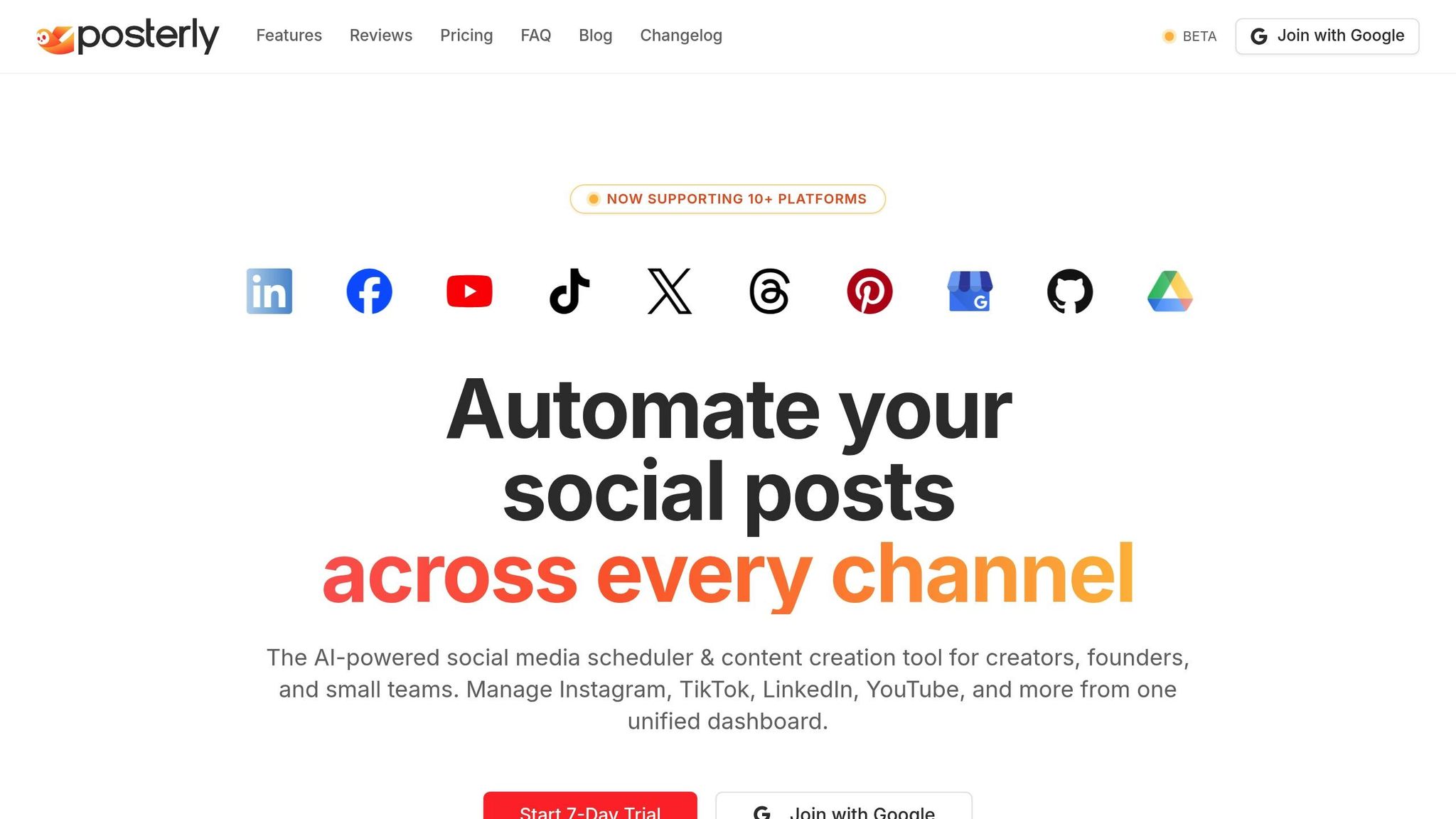
Drag-and-Drop Scheduling Interface
Posterly makes scheduling your content a breeze with its intuitive drag-and-drop calendar. You can upload images, videos, or carousel posts into its media library and quickly slot them into your schedule. It also includes real-time queue monitoring to keep you updated and a built-in system to prevent duplicate posts.
Multi-Platform Support
Posterly works seamlessly across more than 10 social platforms, including Instagram, TikTok, LinkedIn, and YouTube. It even handles Google Business Profile reviews, allowing you to feature customer feedback effortlessly.
AI-Powered Features
Posterly takes content creation to the next level with its suite of AI tools. Here’s what you get:
- AI Caption Assist: Helps you craft personalised captions.
- Nano Banana Pro: Generates custom images tailored to your needs.
- Veo: Creates engaging video clips.
- Hey Posterly: Lets you schedule posts based on a simple idea prompt.
- Ship & Share: Converts GitHub commits into marketing content, which is perfect for developer-focused brands.
These tools make it easier to produce high-quality content while saving time.
Pricing and Value for Money
Posterly offers pricing plans that cater to creators of all levels:
- Starter: AED 26/month for up to 5 social accounts with unlimited posts.
- Pro: AED 55/month for up to 12 accounts, plus expanded access to AI tools.
- Power User: AED 92/month for up to 30 accounts, with unlimited AI features under fair-use policies.
All plans include integrations with Google Drive and Canva, while Pro and Power User tiers enjoy priority customer support. With these features and competitive pricing, Posterly stands out as one of the top scheduling tools for 2026.
2. Later
Drag-and-Drop Scheduling Interface
Later's Visual Planner makes scheduling posts incredibly straightforward. You can drag media files directly from your library onto a calendar, planning an entire month’s content in just minutes. For Instagram, the grid preview feature is a standout - it lets you rearrange posts with a simple drag-and-drop to ensure your feed has a consistent look before anything goes live. Plus, with bulk scheduling, you can select multiple files, drag them to the top of the calendar, and schedule them all at once. This saves time and effort, especially for busy teams.
Recurring weekly time slots can be set up in advance, so you only need to drop content into pre-defined slots. There’s also a "Calendar Notes" feature, which acts as placeholders for future content, even if the final media isn’t ready yet. To make asset management easier, Later integrates seamlessly with Dropbox, Google Drive, and Canva, keeping everything searchable and in one place.
This user-friendly interface connects effortlessly to the platform’s multi-platform publishing capabilities.
Multi-Platform Support
Later simplifies auto-publishing across a variety of platforms, including Instagram, Facebook, TikTok, LinkedIn, Pinterest, X (Twitter), YouTube, Threads, and Snapchat. By analysing 22 million posts, Later identifies the "Best Time to Post" slots to help maximise follower engagement [9]. You can simply drag your content into these optimal time slots, increasing the chances of organic reach.
"We love using Later because not only does it allow us to visually see our images laid out on a calendar week by week, but it shows us the best time to post." - Megan White, Brand Marketing Associate, Artifact Uprising [10]
Later’s drag-and-drop design becomes even more powerful when paired with its AI-driven tools, which bring together thoughtful design and smart automation.
AI-Powered Features
Later’s AI Caption Writer helps you craft on-brand captions effortlessly, while its Hashtag Suggestions tool ensures your posts are discoverable on Instagram and Facebook. Another handy feature is "First Comment" scheduling, which keeps captions clean by allowing hashtags to be placed in the comments section instead [11].
In 2025, Lucky Iron Fish leveraged Later to streamline their content creation process, repurposing posts across multiple accounts. This approach helped them achieve 4.7 million TikTok likes while saving 2 hours of manual work each week [7].
Pricing and Value for Money
Later offers a 14-day free trial on all its paid plans. Here’s a quick breakdown of the pricing:
- Starter Plan: AED 69/month (billed yearly) for 1 user, 1 Social Set (8 profiles), 30 posts per profile, and 5 AI credits.
- Growth Plan: AED 138/month for 2 users, 2 Social Sets (16 profiles), 180 posts per profile, and 50 AI credits.
- Scale Plan: AED 303/month for 4 users, 6 Social Sets (48 profiles), unlimited posts, and 100 AI credits [12][8].
If billed annually, you’ll receive a 25% discount [8]. Non-profit organisations can benefit from a 50% discount on the annual Growth plan [8]. With over 13.5 million creators and brands relying on Later and an average rating of 4.5 stars, it’s clear why this platform is a go-to for social media management [8][7].
3. Hootsuite
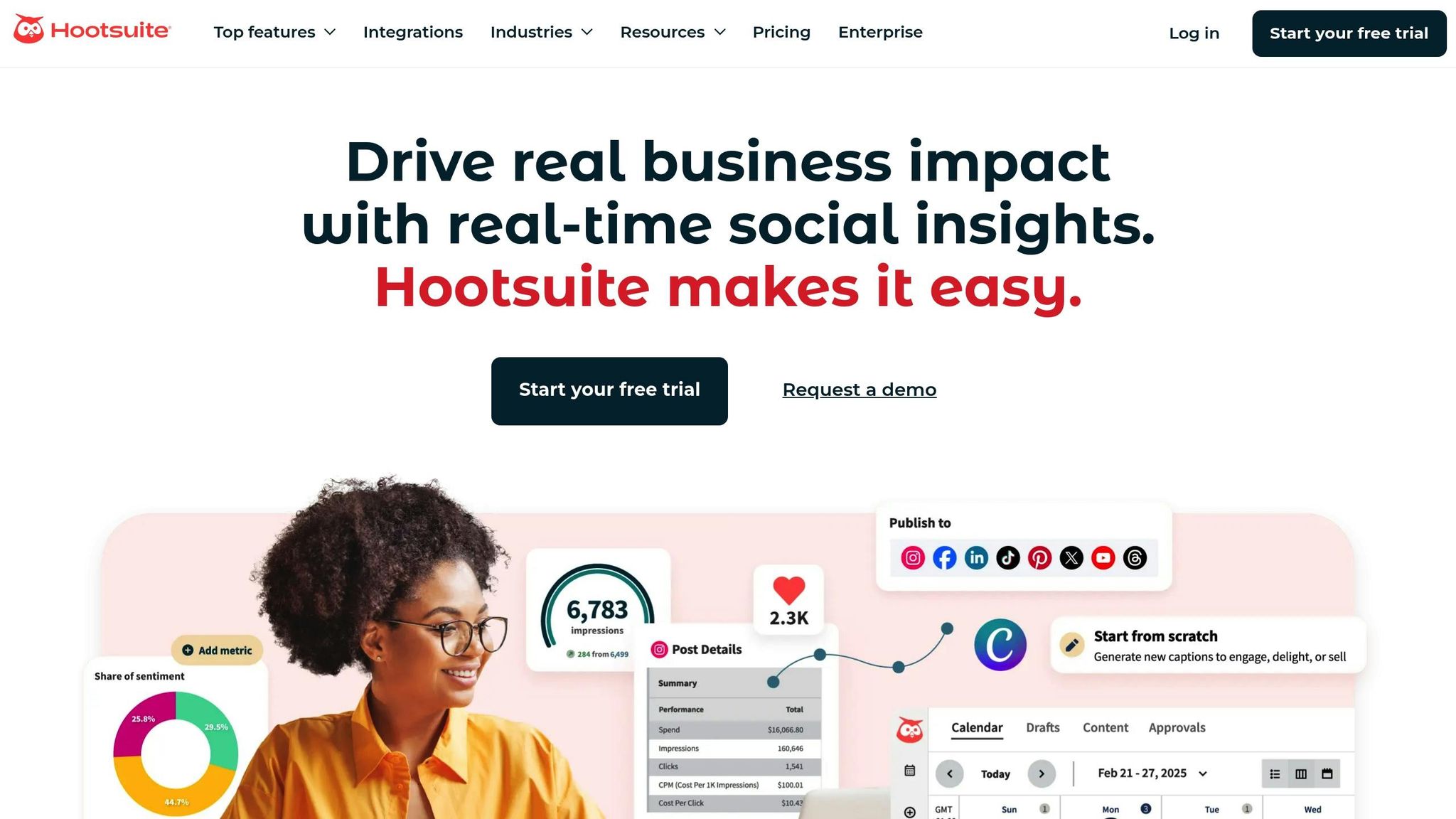
Drag-and-Drop Scheduling Interface
Hootsuite's Planner offers a user-friendly calendar where you can simply drag posts to adjust their dates. It also includes a Whiteboard tool for brainstorming campaigns and identifying gaps in your content.
For teams dealing with large volumes of posts, the Bulk Composer is a game-changer. It allows you to schedule up to 350 posts at once through a CSV upload, saving time and effort. In times of crisis, the platform's emergency feature lets you suspend all scheduled posts instantly [13] [14].
"Hootsuite cut our team's workload in half! We love Hootsuite for reporting, tracking ad performance, creating relationships with customers for our clients, and how easy it is to use."
- Hannah Sanderson, Digital Communications Coordinator and Graphic Designer, VAZZO Creative [14]
Hootsuite also integrates seamlessly with Canva and Adobe Express, making it easier to design visuals directly within the app. Its Unified Inbox centralises DMs, comments, and mentions across platforms, with features like automated replies and message routing to keep your team organised and efficient.
Multi-Platform Support
Hootsuite stands out with its ability to schedule content across multiple platforms, including Facebook, Instagram (Reels, Stories, and Carousels with up to 20 photos), TikTok, LinkedIn, X (Twitter), Threads, Bluesky, Pinterest, and YouTube [13]. The platform also generates heat maps based on audience data, helping you pinpoint the best times to post.
Beyond scheduling, Hootsuite offers tools for ad management on Facebook, Instagram, LinkedIn, X, and Reddit. Its social listening capabilities monitor over 150 million websites and 30 social platforms, tracking brand mentions and competitor activity [14].
AI-Powered Features
Hootsuite incorporates AI tools to streamline your social media efforts. OwlyGPT and OwlyWriter AI can create captions, hashtags, and visuals tailored to your brand. These tools even use copywriting frameworks like AIDA and PAS to craft compelling captions [15].
The Trend-to-Post AI feature takes social listening a step further, identifying trending topics and drafting relevant posts in no time. For community management, Smart Replies deliver context-aware responses, cutting reply times by over 80% [16].
Pricing and Value for Money
Although Hootsuite no longer offers a free plan, it does provide a 30-day trial. Pricing options include:
- Standard Plan: AED 584/month (billed annually) for 1 user, 10 social accounts, and unlimited post scheduling.
- Advanced Plan: AED 1,245/month (billed annually) for more users, unlimited social accounts, and team approval workflows.
- Enterprise Plan: Custom pricing for 5+ users, which includes advanced features like social listening powered by Talkwalker and 24/7 generative AI chatbots [14].
If you skip the trial and start with a paid plan, you’ll receive a 10% discount. With over 2,200 five-star reviews and a 4.4/5 rating on Website Planet, Hootsuite is highly regarded, although its pricing is on the higher side compared to some competitors [14] [16].
4. Buffer
Drag-and-Drop Scheduling Interface
Buffer's visual content calendar makes scheduling posts intuitive. You can drag and drop posts between dates and time slots, and the "Create Space" scratchpad lets you park ideas until you're ready to finalise captions and media. Plus, Buffer's "Share at the perfect time" feature analyses your audience's engagement patterns to suggest the best posting times for maximum visibility [17].
"Buffer visualizes and prioritizes tasks effectively, enabling clear organization and focus."
- Rita Iglesias, Software Engineer and Creator [17]
The platform also allows you to customise posts for multiple platforms within the same editor. For instance, you can format a LinkedIn thread differently from an Instagram carousel before scheduling. While Buffer supports auto-publishing for most formats, it also offers notification-based posting for content like Instagram Stories that require manual finishing in the app. This user-friendly interface makes managing content across platforms straightforward.
Multi-Platform Support
Buffer supports a wide range of platforms, including Instagram (Posts, Reels, Stories), TikTok, Facebook, X (Twitter), LinkedIn, Pinterest, YouTube Shorts, Google Business Profile, Threads, Mastodon, and Bluesky. It’s used by more than 190,000 creators, small businesses, and marketers each month [3].
Auto-publishing is available for Instagram Business and Creator accounts, while Personal profiles require notifications for posting. For those on paid plans, Buffer allows up to 2,000 posts to be scheduled at once, while the Free plan supports 3 social channels with a limit of 10 scheduled posts per channel. These tools integrate seamlessly with Buffer's AI Assistant, making it easier to manage content efficiently.
AI-Powered Features
Buffer's AI Assistant, included in every plan, offers unlimited access to a suite of helpful tools. It can help you brainstorm new ideas, rewrite content in different tones, and even generate captions from scratch [17][18]. You can also repurpose high-performing posts into different formats - like crafting a formal tone for LinkedIn or a casual style for X - saving time and effort when filling your content calendar.
Pricing and Value for Money
Buffer's pricing is based on a pay-per-channel model, so you only pay for the social accounts you actively use. Here’s a breakdown of the plans:
- Free Plan: AED 0 for 3 channels and 10 posts/channel
- Essentials: AED 22/month per channel (AED 18/month if billed annually)
- Team: AED 44/month per channel (AED 37/month if billed annually, includes unlimited users)
- Agency: AED 440/month for 10 channels [18]
For those managing more than 10 channels, volume discounts reduce the per-channel cost, making it a scalable option for growing teams or agencies.
5. Sprout Social
Drag-and-Drop Scheduling Interface
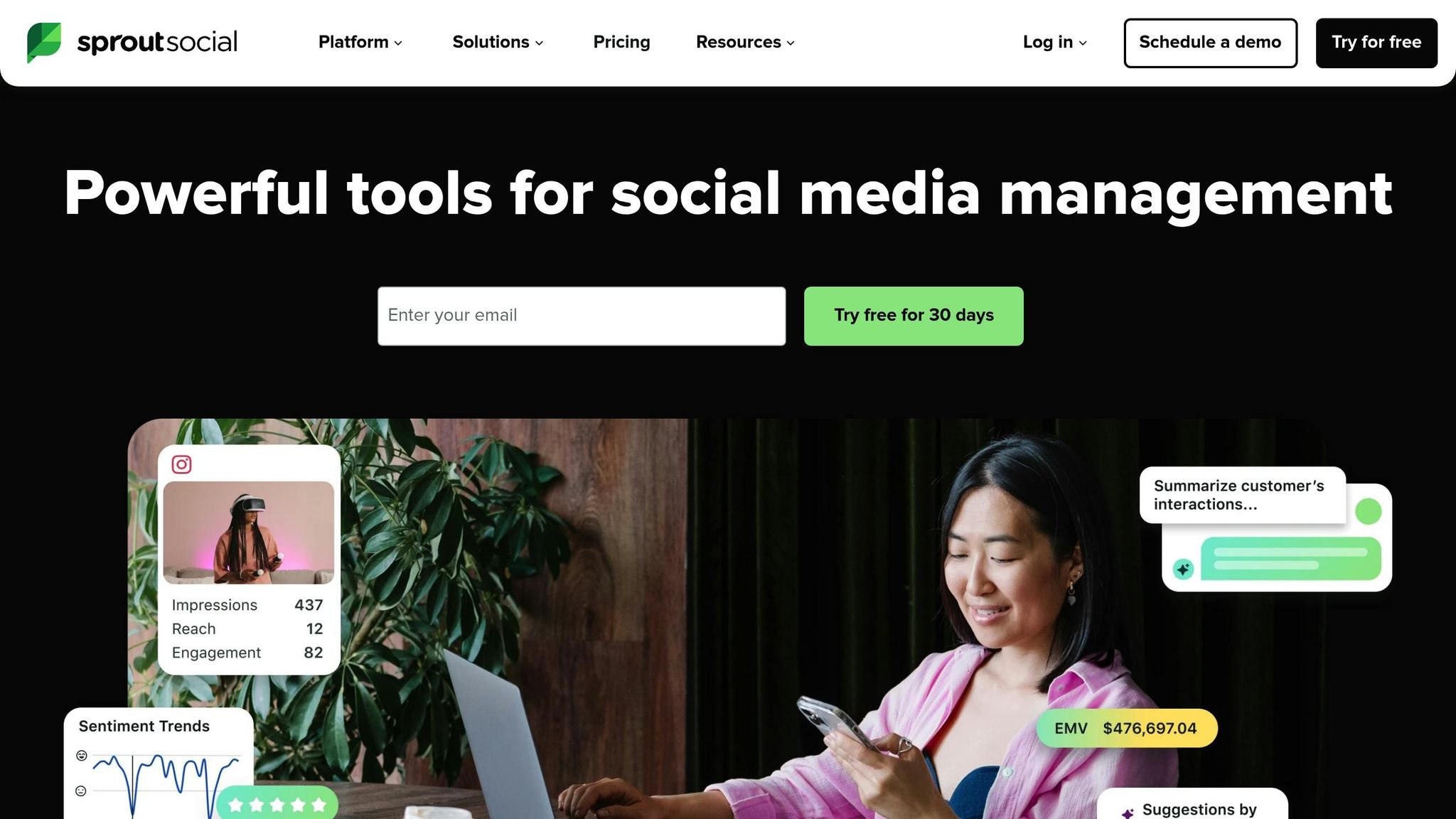
Sprout Social's visual content calendar provides a centralised dashboard that's easy to navigate, making it simple to plan and schedule posts across multiple profiles at once. With its drag-and-drop functionality and shared calendar notes, organising campaigns and keeping teams on the same page becomes much easier [5][19].
The platform also offers customisable approval workflows, ensuring every post meets your brand's standards before it goes live. As Melissa Fasano, Director of Audience Engagement, shared, "I would say being able to approve posts was a big part of why we chose Sprout at the time. A lot of Sprout's competitors did not have that capability" [19].
"I live and die by that calendar. I can see what everyone is doing and make sure all our departments are working together to publish relevant content." - Layne Pfliiger, Social Media Manager, UND [20]
Sprout Social includes an asset library that integrates with tools like Canva, Google Drive, and Dropbox, allowing you to import and edit media seamlessly. Features like automated post queueing and multi-profile publishing help ensure consistent posting schedules, while the Optimal Send Times feature uses machine learning to identify the best times for engagement [19].
Multi-Platform Support
Sprout Social combines its intuitive scheduling tools with support for a wide range of platforms. It works with major networks such as Facebook, Instagram (Posts, Stories, Reels), TikTok, X (Twitter), LinkedIn, Pinterest, YouTube, and Google Business Profile [5]. Its Smart Inbox consolidates messages, mentions, and reviews from all connected platforms, creating a single, streamlined view. You can also add platform-specific tags and product links to optimise posts for social commerce. For example, Klarna achieved 1.2 billion Instagram impressions in the first half of 2021 using Sprout Social's publishing and analytics tools [19].
AI-Powered Features
Sprout Social leverages AI to simplify content creation and boost engagement. Its AI Assist feature provides caption suggestions and alt-text to help overcome writer's block and improve accessibility. Additionally, machine learning analyses your account's activity to identify the times when your audience is most active, helping you schedule posts for maximum impact [5][19].
Pricing and Value for Money
Sprout Social is positioned as a premium tool, designed for professional teams and enterprises. While its pricing reflects its advanced features, it offers a 30-day free trial with no credit card required. Here's a breakdown of its pricing plans:
| Plan | Price (Per Seat/Month, Annual) | Key Features |
|---|---|---|
| Standard | AED 730 | 5 social profiles, tasking tools, AI-generated alt text, social calendar |
| Professional | AED 1,097 | Unlimited social profiles, competitive insights, message tagging, AI Assist |
| Advanced | AED 1,464 | Sentiment analysis, automated link tracking, Spike Alerts, Sprout API |
| Enterprise | Custom | White-glove onboarding, priority support, tailored implementation |
A study commissioned by Forrester Consulting in 2025 found that Sprout Social delivers an impressive 268% return on investment over three years, with benefits valued at up to AED 4.81M for a composite organisation. However, its per-seat pricing can quickly add up, especially for growing teams [5]. Despite the cost, Sprout Social remains a top-tier option for enterprise-level social media management.
6. CoSchedule
Drag-and-Drop Scheduling Interface
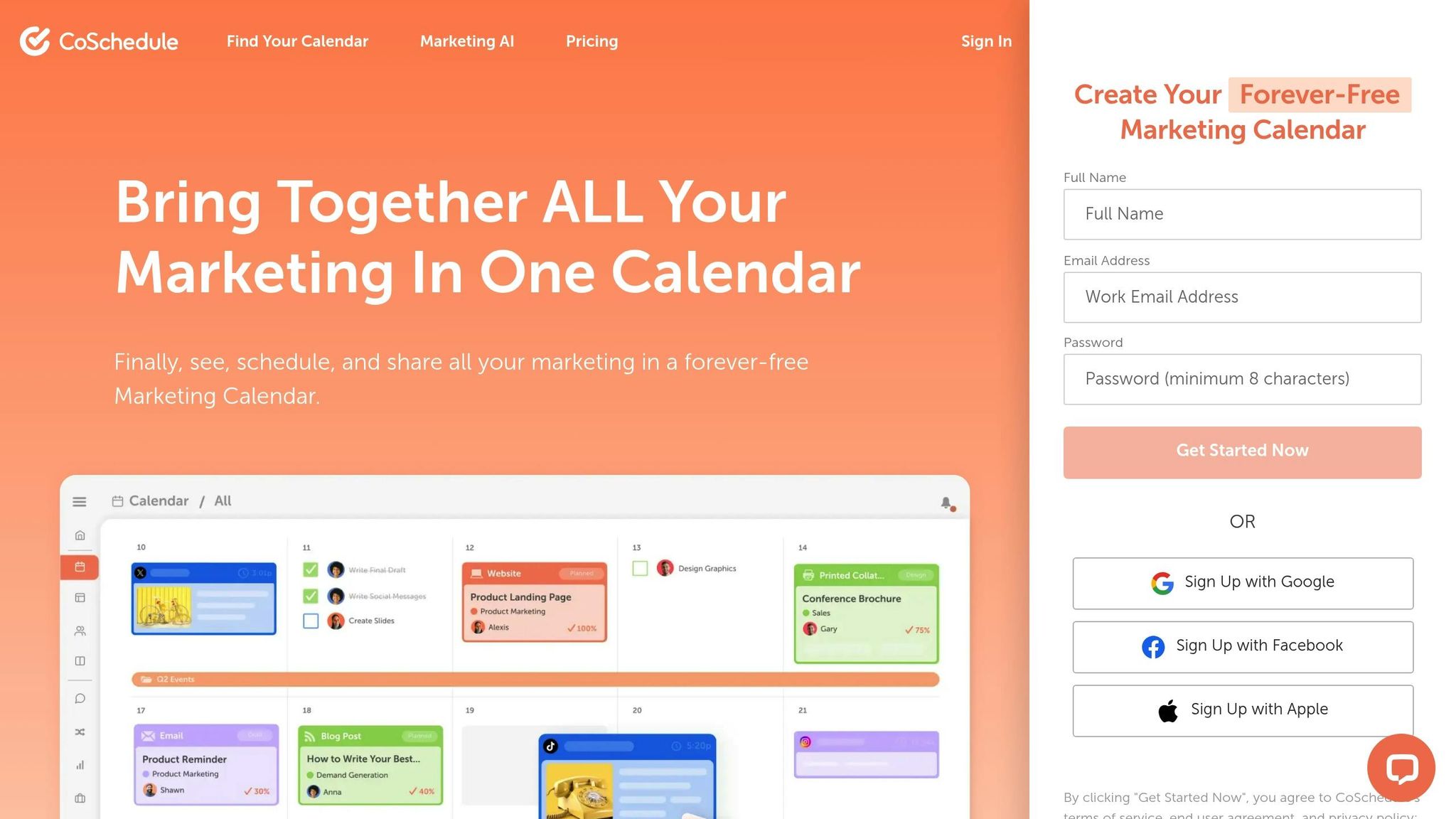
CoSchedule brings all your projects, tasks, and social posts into one centralised visual workspace. Its drag-and-drop interface makes it incredibly easy to tweak schedules, automatically updating everything as you go. This setup helps you quickly identify any gaps in your content calendar. With over 100,000 marketers relying on it for their campaigns, CoSchedule has become a go-to tool for organising marketing strategies [24].
"It's the best social media managing software out there. I can see everything I have scheduled, all the content I've published yesterday, and all the things I've done today." - Christina Hills, WordPress Expert Trainer [23]
One standout feature is ReQueue, which automatically fills empty calendar slots by resharing your top-performing evergreen content.
"If ReQueue was the only thing the Marketing Calendar offered, I'd still pay for it." - Hilary De Freitas, founder of Marketing Mom [21]
Another handy tool, Best Time Scheduling, identifies the best times to post based on when your audience is most engaged [25].
Multi-Platform Support
CoSchedule supports a wide range of platforms, including Facebook (Posts and Reels), Instagram (Posts, Reels, and Stories), LinkedIn (Profiles, Pages, and Showcase Pages), TikTok, Pinterest, YouTube, Threads, Bluesky, Mastodon, and Google Business Profiles [22]. Its unified social inbox allows users to manage mentions, comments, and direct messages from Facebook, Instagram, and LinkedIn across all plans. For those on Agency plans, this feature extends to all networks [23].
In 2025, Shayne Seymour, co-host of the All Things Travel podcast, used CoSchedule's Marketing Calendar to streamline promotional posts for his blog, podcast, and newsletter. By leveraging Social Templates, he maintained a consistent posting schedule during peak travel seasons [21].
On top of its platform coverage, CoSchedule incorporates AI to simplify campaign management even more.
AI-Powered Features
At the heart of CoSchedule's AI capabilities is "Mia", a Marketing Intelligence Assistant. Mia offers over 1,600 prompts for brainstorming ideas, drafting copy, and creating visuals [22][26]. The AI Social Assistant helps you quickly draft content, while the AI Campaign Assistant can generate entire multi-post campaigns in seconds. CoSchedule also integrates seamlessly with tools like WordPress, HubSpot, Canva, Zapier, Mailchimp, and Google Drive.
Pricing and Value for Money
CoSchedule offers a "Forever-Free" plan for individuals, with paid plans that scale based on the number of users and social profiles. Annual billing options save users 20%, and non-profits can benefit from a 30% discount on paid plans [22].
| Plan | Price (Annual Billing) | Social Profiles | Key Features |
|---|---|---|---|
| Free Calendar | AED 0 | 1 | 15 scheduled messages, drag-and-drop calendar, limited AI Assistant |
| Social Calendar | AED 70/user/month | 3 | Unlimited messages, 1,600+ AI templates, ReQueue, Social Analytics |
| Agency Calendar | AED 217/user/month | 5 | Unlimited client calendars, white-label reports, social approvals |
| Content Calendar | Custom Pricing | 5 | Kanban/Table views, marketing campaigns, custom fields |
| Marketing Suite | Custom Pricing | 5 | Sub-calendars, digital asset management, approval workflows |
Note: X (Twitter) profiles incur an additional cost of AED 29–AED 92 per profile/month, depending on the plan. Extra social profiles can be added to paid plans for AED 18/month [22].
The marketing team at ON24 saw incredible results after implementing CoSchedule’s calendar and collaboration tools. They quadrupled their content production and achieved a 1,412% increase in organic traffic [27].
"I absolutely love that I can schedule my posts months in advance. It posts exactly when I need and gives me freedom to work on other areas of my business." - Stephanie Holloway, founder of Timeless Snapshot Photography [24]
7. Planoly
Drag-and-Drop Scheduling Interface
Planoly stands out as a tool designed for Instagram-focused visual planning. Its drag-and-drop interface allows users to arrange their feed's look using grid, list, and gallery views. You can easily drag unscheduled drafts onto specific calendar dates to set posting times effortlessly.
A highlight of Planoly is its Strategic Placeholders feature. This lets you visualise content pillars and reserve spots in your calendar even before the final media is ready. With over 5 million users relying on Planoly for their social media strategies [31], it’s a trusted platform for many.
"I think of Planoly as the lord of grid planning. 📲💞 Most of my clients have aesthetic-facing branding, so that is key for my everyday work. I love the ease with which I can drag, drop, merge, and play around with the grid design." - @ALYSSAYA, Travel creator [29]
It’s worth noting, though, that the drag-and-drop feature is currently only available on the web dashboard and not on the mobile app [28]. Still, this interface pairs well with Planoly's broad platform features.
Multi-Platform Support
Planoly’s capabilities extend far beyond Instagram. It offers auto-posting features for platforms like TikTok, Facebook, YouTube, Threads, X, LinkedIn, Pinterest, and even Amazon [29]. As an official Instagram and Pinterest Partner [31], the tool can auto-post Stories and Reels across all connected channels.
Other useful tools include a Hashtag Manager for saving hashtag groups, a Comment Manager for handling engagement, and a media library for storing assets [31][29]. Megan Burns, social media manager for @GoodGoodGood, used Planoly’s auto-posting features in 2026 to grow the brand’s social following by over 300,000 in just one year - all while reclaiming her weekends [31].
AI-Powered Features
Planoly also integrates AI-driven tools to save time and improve efficiency. The AI Caption Writer generates captions in different tones to align with your brand’s voice [29]. Its Best Time to Post feature highlights optimal posting times with an Instagram icon on the calendar, helping you target peak engagement hours [30]. Additionally, creators can access stock photography and video assets through its Dupe integration [29].
"The quick schedule and auto-magic caption tools in particular have been MAJOR time savers for me!" - @STRUTSOCIALWITHGABBY, Creator; Social media agency [29]
Pricing and Value for Money
Planoly uses a "Social Set" system, where one set includes one account for each supported platform. Paid features come with a 7-day free trial [33].
| Plan | Monthly Price | Annual Price (per month) | Social Sets | Uploads | Users |
|---|---|---|---|---|---|
| Free | AED 0 | AED 0 | 1 | 10/month | 1 |
| Starter | AED 59 | AED 51 | 1 | 60/month | 1 |
| Growth | AED 103 | AED 88 | 1 | Unlimited | 3 |
| Professional | AED 158 | AED 134 | 2 | Unlimited | 6 |
You can add extra social sets starting at AED 48/month, and additional users for AED 18/month [32].
The Free plan is quite restrictive, offering only 10 uploads per month and no access to features like the AI Caption Writer or Hashtag Manager [33]. For those managing multiple brands, the Professional plan is a solid choice, as it includes two full social sets by default [32].
8. Zoho Social
Drag-and-Drop Scheduling Interface
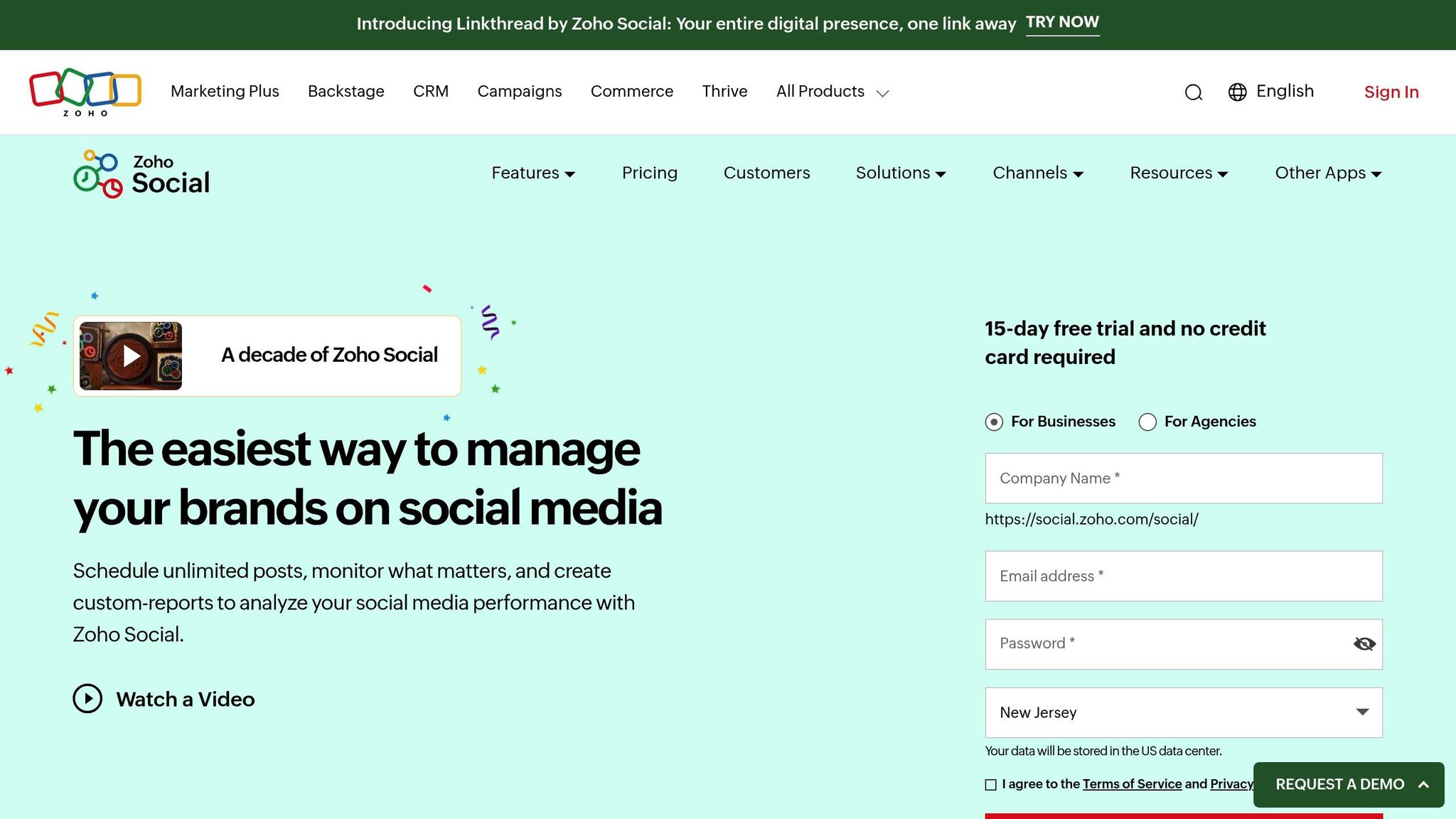
Zoho Social offers a visual publishing calendar that simplifies content management across multiple platforms. With both weekly and monthly views, the calendar gives you a clear picture of your content schedule, making it easy to spot and fill any gaps.
Need to reschedule a post? Just drag and drop it to a new date or time - no need to leave the calendar view. For Instagram users, there's a grid preview tool that helps you organise your feed's aesthetic before going live.
"I love the publishing calendar with the drag and drop function. My management time has reduced by almost 80%!" - Rachel A Martins, Information Technology Specialist, MC² [35]
Trusted by over 250,000 businesses in 180 countries [38], Zoho Social has become a go-to tool for teams of all sizes.
Multi-Platform Support
Zoho Social allows scheduling across 11+ platforms, including Facebook, Instagram, X (formerly Twitter), LinkedIn, TikTok, YouTube, Pinterest, Google Business Profile, and newer networks like Mastodon, Threads, and Bluesky [38][39]. This broad reach lets you manage your entire social media presence from a single dashboard.
The bulk scheduler feature is a game-changer, enabling you to upload up to 350 posts at once using CSV or XLSX files [40]. You can then fine-tune these posts directly in the drag-and-drop calendar. Zoho also integrates with Canva for seamless design, as well as Zoho CRM and Zoho Desk for lead generation and customer support [34][39].
"The calendar page is beautiful. It's so easy to move things around and schedule posts to X (formerly Twitter) and LinkedIn without having them timed at the same moment each day." - Shane Murphy, Customer Success, OEConnection [35]
On top of these integrations, Zoho Social uses AI to refine your scheduling and content strategies.
AI-Powered Features
Zoho Social leverages its AI assistant, Zia, to streamline content creation and scheduling. Zia can help with framing posts, suggesting relevant hashtags, and rephrasing captions [36][38]. The SmartQ feature analyses your posting history to recommend the best time slots for maximum engagement [34][40]. You can even drag posts into these suggested slots to optimise reach.
Additional tools include an RSS feed integration that automatically pulls and schedules newsworthy content [40]. For urgent situations, Zoho offers a "panic button" to instantly pause all scheduled posts across accounts [37], a useful feature for managing crises.
Pricing and Value for Money
Zoho Social provides a 15-day free trial with no credit card required. Its pricing is based on a "Brand" system, where one brand encompasses multiple channels.
| Plan | Monthly Price | Annual Price (per month) | Brands | Channels | Team Members |
|---|---|---|---|---|---|
| Free | AED 0 | AED 0 | 1 | 6 | 1 |
| Standard | AED 55 | AED 37 | 1 | 10 | 1 |
| Professional | AED 147 | AED 110 | 1 | 10 | 1 |
| Premium | AED 239 | AED 147 | 1 | 13 | 3 |
| Agency | AED 845 | AED 845 | 10 | 130 | 5 |
| Agency Plus | AED 1,212 | AED 1,212 | 20 | 260 | 5 |
The Free plan covers basic publishing needs, while the Professional tier introduces bulk scheduling and a media library. For growing teams, the Premium plan adds features like SmartQ, content approvals, and custom reports. Agencies can benefit from white-label reporting and client invitations, making the higher-tier plans ideal for firms managing multiple brands [38].
9. SocialBee
Drag-and-Drop Scheduling Interface
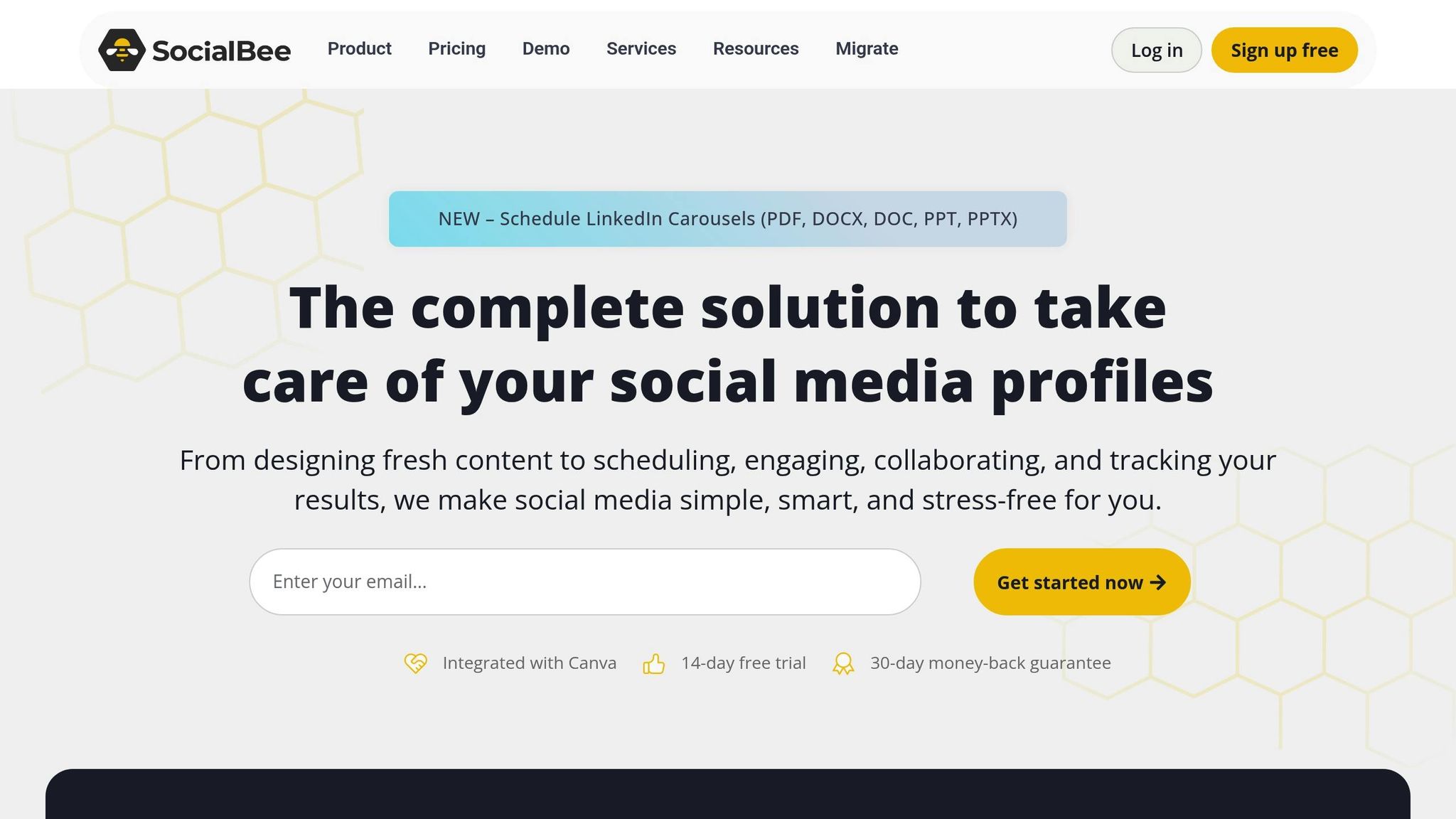
SocialBee simplifies content management with its category-based scheduling system. Instead of manually dragging posts onto a calendar, you can organise content into queues like "Curated", "Promotional", or "Blog Posts" [1][44]. Each category functions as an automated publishing stream, making it easy to manage recurring content.
The platform provides multiple views - Calendar, List, Feed, and Grid - but displays each profile separately [1][41][43]. Rescheduling posts requires manual time adjustments, which may take some getting used to [44][45].
For larger-scale scheduling, SocialBee’s Bulk Editor is a standout feature. It allows you to schedule, pause, or edit all posts in a specific category at once [42]. The "Universal Posting" feature is also handy, sending mobile reminders for platforms with API restrictions like WhatsApp or Facebook Groups [41][44].
"I love that in one shot, I can post the same content in different ways for different channels. I am able to manage about two weeks of content in about four hours." - Urvi Bhandari, Founder, Peppercorn [41]
Multi-Platform Support
While many scheduling tools rely solely on calendar views, SocialBee’s category-based system offers a more flexible alternative.
It supports direct publishing to 10 major platforms, including Facebook, Instagram, Threads, X (formerly Twitter), LinkedIn, Pinterest, Google Business Profile, TikTok, YouTube, and Bluesky [42][43]. Each platform has a dedicated editor for customised formatting, and the evergreen recycling feature re-queues posts automatically. You can even create multiple variations of recycled content to keep it fresh [41][42][44].
To make content creation easier, SocialBee integrates with Canva, Unsplash, and GIPHY, allowing seamless access to design tools. Additionally, the Social Media Copilot feature leverages AI to generate a complete posting strategy tailored to your brand’s goals [42][43].
Pricing and Value for Money
SocialBee offers its robust features at competitive rates, with a 14-day free trial of the Pro plan available - no credit card required. Opting for annual billing unlocks a 16% discount across all plans [41][44].
| Plan | Monthly Price | Annual Price (per month) | Social Profiles | Content Categories | Team Members |
|---|---|---|---|---|---|
| Bootstrap | AED 106 | AED 1,065/year | 5 | 10 | 1 |
| Accelerate | AED 180 | AED 1,800/year | 10 | 50 | 1 |
| Pro | AED 363 | AED 3,634/year | 25 | Unlimited | 3 |
The Bootstrap plan is ideal for small businesses managing a handful of profiles, while the Pro plan is better suited for agencies handling multiple clients. For larger needs, advanced tiers like Pro50 (AED 657/month), Pro100 (AED 1,208/month), and Pro150 (AED 1,649/month) are available. Additionally, optional concierge services - ranging from social media specialists to content writing - can be added, starting at AED 363 up to AED 7,341 per month.
"It has everything I need, and the price is much lower compared to other tools with similar features." - John Kyle, Web Developer, John Kyle Consulting [42]
10. ContentCal
Drag-and-Drop Scheduling Interface
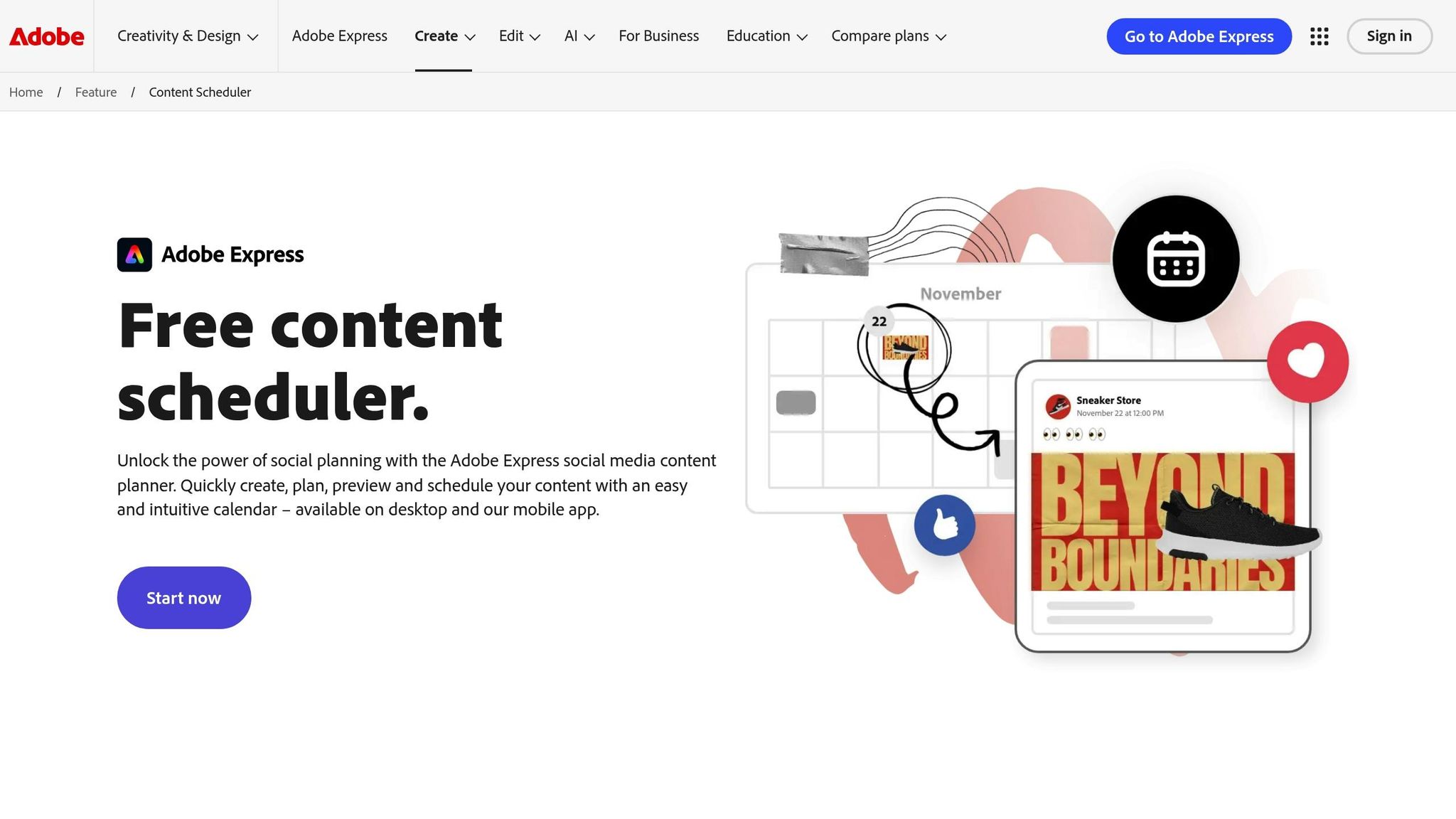
ContentCal stands out as a user-friendly scheduling tool, thanks to its drag-and-drop calendar. This feature allows you to effortlessly rearrange posts and tweak schedules on the fly. To make things even smoother, it uses a colour-coded system: green for approved posts, yellow for those pending review, red for declined content, and blue for drafts that haven’t been submitted yet. This system simplifies tracking and keeps workflows organised, making it a practical choice for teams managing multiple platforms.
Multi-Platform Support
ContentCal integrates seamlessly with popular social networks like Facebook, X (formerly Twitter), Instagram, and LinkedIn. It even supports auto-publishing for Facebook, X, and LinkedIn, so you can set your posts to go live without manual intervention. For added convenience, it includes a Content Ideas Library to inspire your campaigns, along with centralised user permissions and streamlined approval processes that make team collaboration much easier.
Pricing and Value for Money
ContentCal offers a range of cloud-based plans tailored to businesses of all sizes, earning an impressive 4.5/5 rating on Apibit.com [46]. Users appreciate its easy-to-navigate interface, collaborative tools, and detailed analytics. However, some mention a slight learning curve and note that pricing might be a bit steep for startups. The platform supports Android and iOS apps, as well as desktop versions for Windows and Mac, ensuring flexibility for users on the go.
Feature and Pricing Comparison
Finding the right scheduling tool means aligning your budget and workflow with the features that matter most. For UAE creators, Posterly offers great options starting at AED 25.69/month with its Starter plan. This tier includes 5 social accounts, unlimited scheduled posts, and AI-powered tools like AI Caption Assist and Nano Banana for image generation. If you need more, the Pro plan at AED 55.05/month supports 12 accounts and comes with expanded AI allowances. For heavy-duty users, the Power User plan at AED 91.75/month accommodates up to 30 accounts, making it a strong choice for creators managing multiple brands. These pricing tiers cater to a wide range of content creation needs.
For visual-first brands, Later is a strong contender, starting at around AED 92/month. It shines with features like the Instagram grid preview and its Creator & Brand Collabs tool. Meanwhile, Buffer provides an affordable entry point at approximately AED 22 per channel/month, appealing to solo creators who appreciate simplicity and support for newer platforms like Mastodon and Bluesky.
If you're part of an enterprise team, you might look at Sprout Social, which offers advanced analytics and CRM integration. However, it comes at a premium, costing around AED 914 per seat/month, with features like machine-learning-driven post timing (ViralPost). Agencies may find Hootsuite more suitable, priced at about AED 363/month. It includes over 150 app integrations and streams-based monitoring, ideal for handling multiple client accounts. For category-based scheduling and content recycling, SocialBee starts at AED 106/month, featuring its Social Media Copilot AI.
Most tools cover key platforms like Facebook, Instagram, LinkedIn, X, and TikTok. However, Posterly stands out with some unique capabilities. Its Ship & Share feature integrates with GitHub, converting code commits into marketing content - bridging the gap between developers and marketers. Posterly also supports Google Business Profile management, allowing businesses to audit reviews and create feedback posts, a valuable feature for UAE brands focusing on local visibility. On the other hand, Buffer supports newer networks like Threads and decentralised platforms.
Many platforms offer 14-day trials, but surveys show that 85% of professionals prefer a 30-day evaluation period before committing to a tool [47]. Solo creators often benefit from automation and intuitive interfaces, while agencies gain value from multi-brand workspaces and detailed approval workflows. With auto-publishing saving users over 10 hours per week [4], carefully weighing these features and pricing plans can boost both productivity and campaign success.
Conclusion
Drag-and-drop scheduling tools have become indispensable in 2026, saving marketers over 10 hours each week by automating the posting process across various platforms [4]. With visual calendars, brands can maintain a consistent presence without worrying about gaps in their content plans. Choosing the right tool isn’t just about meeting posting needs - it’s about aligning with your brand’s larger vision.
For creators in the UAE, features like multi-platform support, AI-powered content creation, and affordable pricing - such as Posterly's AED 25.69/month plan - can simplify social media management. This is especially crucial in the fast-paced UAE market where time is a critical resource. For those focusing on visual platforms like Instagram and TikTok, tools offering grid previews can be game-changing. With features like Posterly's AI Caption Assist or Nano Banana, creators not only save time but also produce content that feels genuine and perfectly on-brand.
"The best tool is the one that matches your workflow (solo vs collaboration), supports your key platforms, and makes your most common post type easy." - PostQuickAI [6]
A smart approach is to follow the 80/20 rule: schedule 80% evergreen content while leaving 20% for real-time engagement [2]. During a tool’s trial period, test its ability to handle complex formats like carousels, Reels, or TikToks. Ensure the tool supports auto-publishing instead of just sending reminders, as this can significantly reduce manual effort.
The right scheduling tool transforms social media management from a daily grind into a strategic, streamlined process. By automating repetitive tasks and maintaining a steady posting schedule, such tools can boost ROI by up to 268% over three years [5], enhancing productivity and deepening audience engagement.
FAQs
::: faq
What does drag-and-drop scheduling actually do?
Drag-and-drop scheduling makes managing social media content a breeze. By simply dragging posts, images, or videos onto a visual calendar, users can plan, organise, and publish content effortlessly. There's no need for tedious manual entry - just move items around to set post timings.
The interface is straightforward, allowing users to quickly rearrange content as needed. This not only saves time but also streamlines workflows. It's particularly useful for scheduling posts ahead of time, ensuring a steady flow of content and keeping engagement consistent. Plus, it helps align posting times for maximum impact. :::
::: faq
Which platforms can auto-publish (not just send reminders)?
Posterly enables auto-publishing on over 10 platforms, such as Instagram, TikTok, LinkedIn, and YouTube. Similarly, tools like Hootsuite, Sprout Social, Buffer, Later, and Plann offer features for automated publishing. These platforms simplify the process of scheduling and posting content, making it easier for creators and teams to manage their workflows efficiently. :::
::: faq
How do I pick the right plan for my team size and number of accounts?
To pick the best plan, start by looking at the features each option offers. Pay attention to things like how many social accounts it supports, the scheduling limits, and whether it includes tools for collaboration. Think about what your team needs - maybe it's approval workflows or detailed analytics - and match those to the plan that fits your account volume and workflow preferences. If your team is expanding, go for a plan that offers flexibility to grow alongside your needs. :::
Related Articles
How to Create 30 Days of Social Media Content Using AI Images in posterly
A practical guide to generating a full month of original social media images with posterly's AI image tool, writing captions for each one, and scheduling everything in a single session.
Read moreHow to Find the Best Time to Post on Social Media Using posterly's AI Scheduler
Stop guessing when to post. This guide explains how posterly's AI Scheduler analyses your audience activity and automatically picks the best posting times so your content gets seen by more people.
Read moreHow to Manage Google Business Reviews on Autopilot With posterly
A step-by-step guide to responding to Google reviews with AI, automatically requesting new reviews from customers, auditing your profile for local SEO, and turning your best reviews into social media content.
Read moreHow to Manage Multiple Client Social Media Accounts With posterly Workspaces
A practical guide for agencies and teams on using posterly Workspaces to organise client accounts, assign roles, get content approved, and schedule posts across dozens of social profiles without things getting messy.
Read more