
Ultimate Guide to AI Social Media Scheduling
Ultimate Guide to AI Social Media Scheduling

Ultimate Guide to AI Social Media Scheduling
Managing social media can be overwhelming, especially when handling multiple platforms like Instagram, TikTok, LinkedIn, and more. You can even schedule Facebook posts with AI-optimized timing. AI-powered scheduling tools simplify this process by automating repetitive tasks, saving time, and improving engagement. Here's what you need to know:
- Time Savings: AI tools like Posterly can reduce scheduling time by up to 70%, saving solo creators hours each week.
- Optimised Posting: AI identifies the best times to post, ensuring maximum audience reach and engagement.
- All-in-One Management: Manage over 10 platforms from a single dashboard, with features like bulk scheduling, real-time analytics, and client approval workflows.
- AI Content Tools: Generate captions, hashtags, and visuals with tools like Nano Banana Pro and Google Veo.
- Flexible Pricing: Plans start at AED 26/month, catering to individuals, teams, and agencies.
I Automated My Entire Social Media in 5 Minutes
::: @iframe https://www.youtube.com/embed/rAD4VQkmQaM :::
sbb-itb-f7b3a33
Benefits of AI Social Media Scheduling
AI-powered social media scheduling has become a game-changer for efficient content management and audience engagement. Here's how it simplifies the process and boosts results.
Automated Scheduling Saves Time
Scheduling posts manually can feel like a never-ending cycle: logging into multiple accounts, resizing images, reformatting videos, and figuring out the best times to post. AI tools like Posterly simplify this by letting you upload content once. The platform then automatically adjusts your media for various formats - Instagram's 1080×1080 square posts, TikTok's 1080×1920 vertical videos, and LinkedIn's 1200×627 images. This streamlined approach can save a lot of time:
- Marketers gain back over 5 hours per week.
- E-commerce teams reclaim 15–20 hours weekly.
- Solo creators have reported reducing scheduling time by 70% [1][2].
Even better, AI ensures your posts go live when your audience, such as those in Dubai, is most active, maximising engagement.
"As a solo creator managing 5 accounts, Posterly cut my scheduling time by 70%. The multi‐platform publishing is seamless." – Marcus Johnson, Solo Creator [1]
With bulk scheduling, you can plan an entire month of content in just minutes. AI handles the heavy lifting - resizing, reformatting, and posting at the best times - leaving you with more time to interact with your audience.
Better Engagement with Data Analysis
AI doesn't just save time - it helps you connect better with your audience. By analysing user behaviour, it identifies the most effective posting times, ensuring your content is seen when it matters most. For example, with over 2 billion active users on Instagram each month [4], timing your posts correctly can significantly boost visibility.
Posterly’s AI also suggests trending hashtags and generates customised captions to expand your reach. Real-time analytics provide insights into post performance, allowing you to adjust your strategy based on what works. The platform even adapts your content's tone to match the style of each social network, ensuring your posts resonate with the right audience.
| Feature | Manual Management | AI-Automated |
|---|---|---|
| Scheduling Time | Hours spent resizing and logging in | Minutes to upload and adapt content |
| Posting Consistency | Inconsistent; may miss peak times | Automatically posts at optimal times |
| Content Creation | Manual effort in writing and design | AI-generated captions, videos, and ideas |
| Workflow | Repetitive and time-consuming | Automated, allowing focus on strategy |
Managing Multiple Platforms from One Place
Managing multiple social media platforms can be overwhelming, especially when each has its own technical requirements. Posterly simplifies this with a single dashboard that supports over 10 platforms. Using an "upload once, adapt everywhere" approach, you can create content once, and the AI adjusts it for platform-specific needs, including video duration, resolution, and format checks.
For teams, shared calendars and client approval workflows make collaboration easier. Agencies managing multiple brands will appreciate features like client containers, which keep accounts separate while allowing centralised management. The Agency plan supports up to 100 social accounts and includes 10 workspace seats - perfect for agencies in Dubai juggling diverse portfolios.
"I've tried basically every scheduler out there but Posterly is the first one that doesn't feel like a second job tbh. If you're juggling Instagram, X, LinkedIn at the same time then this is a total lifesaver!" – Danisse Aboga [1]
Posterly Features for AI Scheduling
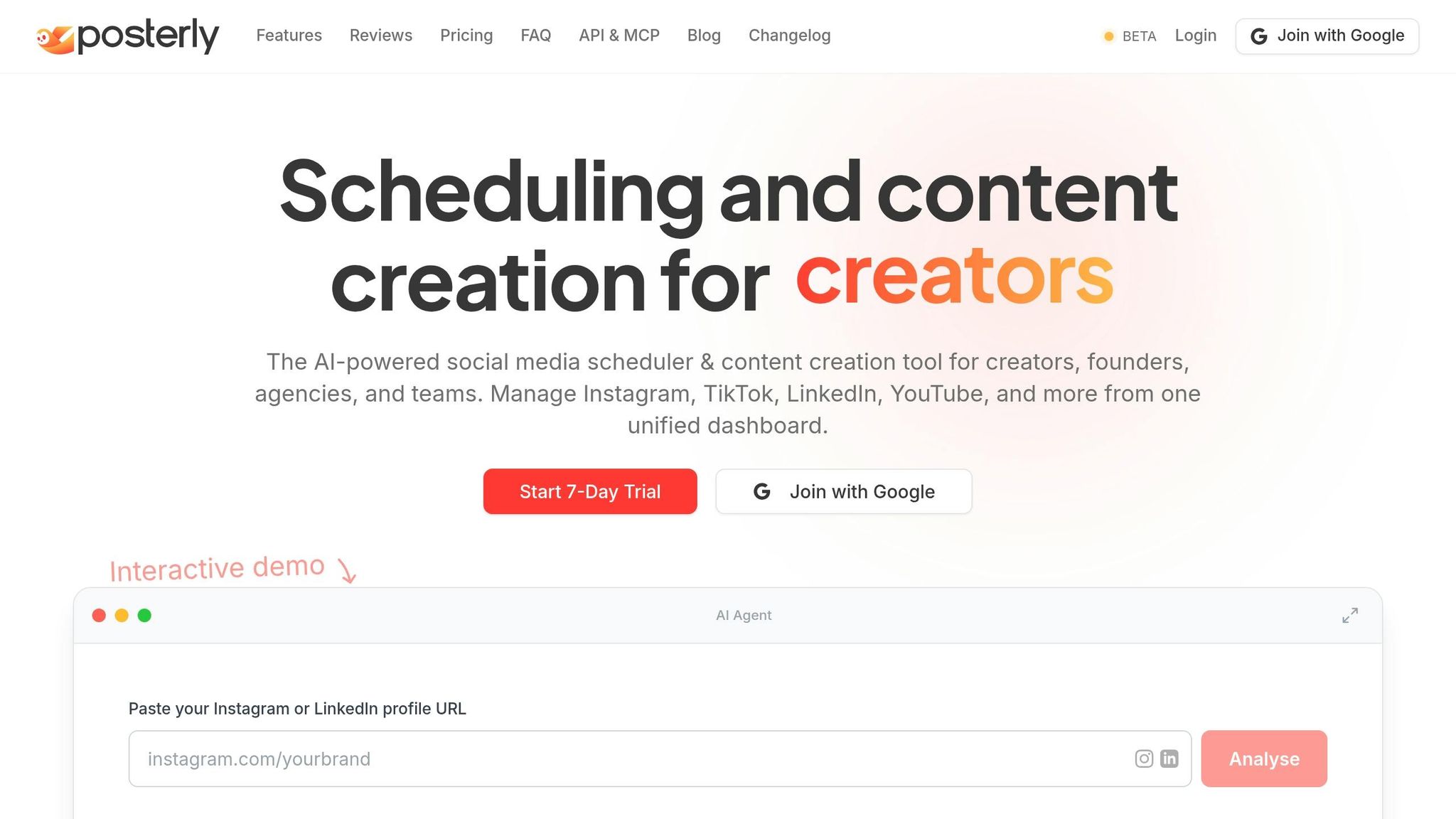
Posterly simplifies content creation and scheduling by integrating all tools into one platform. From planning posts to generating visuals, everything happens within a single interface, eliminating the need to switch between apps.
Unified Dashboard for 10+ Platforms
Posterly's dashboard acts as a central hub for managing multiple platforms, including Instagram, TikTok, LinkedIn, YouTube, Facebook, Threads, X (Twitter), Pinterest, and Google Business Profile. Instead of logging into each account separately, you can draft your content once using the unified composer. Then, tweak it to fit each platform's specific needs - like character limits or media formats - before publishing across all channels at the same time [1].
The platform's drag-and-drop planning tools let you organise your schedule via calendar, list, or table views. Content creator Sarah Mitchell shares her experience: "The calendar view is incredibly intuitive. I can plan an entire month of content in one sitting. Worth every penny." Posterly also offers a robust publishing pipeline built on Redis and BullMQ, ensuring posts go live as planned with features like real-time monitoring and automatic retries [1]. For agencies juggling multiple brands, the Agency plan supports up to 100 social accounts, neatly organised into workspaces and client containers. This setup keeps assets, time zones, and approval processes streamlined [1]. Posterly's AI tools further enhance this all-in-one approach.
AI Caption Assist and Smart Scheduling
Posterly's AI tools are designed to maximise the effectiveness of every post. The AI Caption Assist generates captions tailored to each platform’s audience and style, making it easier to craft engaging content. Meanwhile, the smart scheduling feature uses a conversational AI assistant to understand natural language commands, like "find the best time to post on Friday", and identifies high-engagement windows [7].
Alex Chen, a user of the platform, praises this feature: "Finally, a scheduler that actually understands AI. The caption generation alone saves me hours every week. Game changer for my content workflow." The system also ensures posts are spaced out to avoid overwhelming your audience and includes checks to confirm that media and text meet platform-specific requirements [1].
Nano Banana Pro and Google Veo for Visual Content
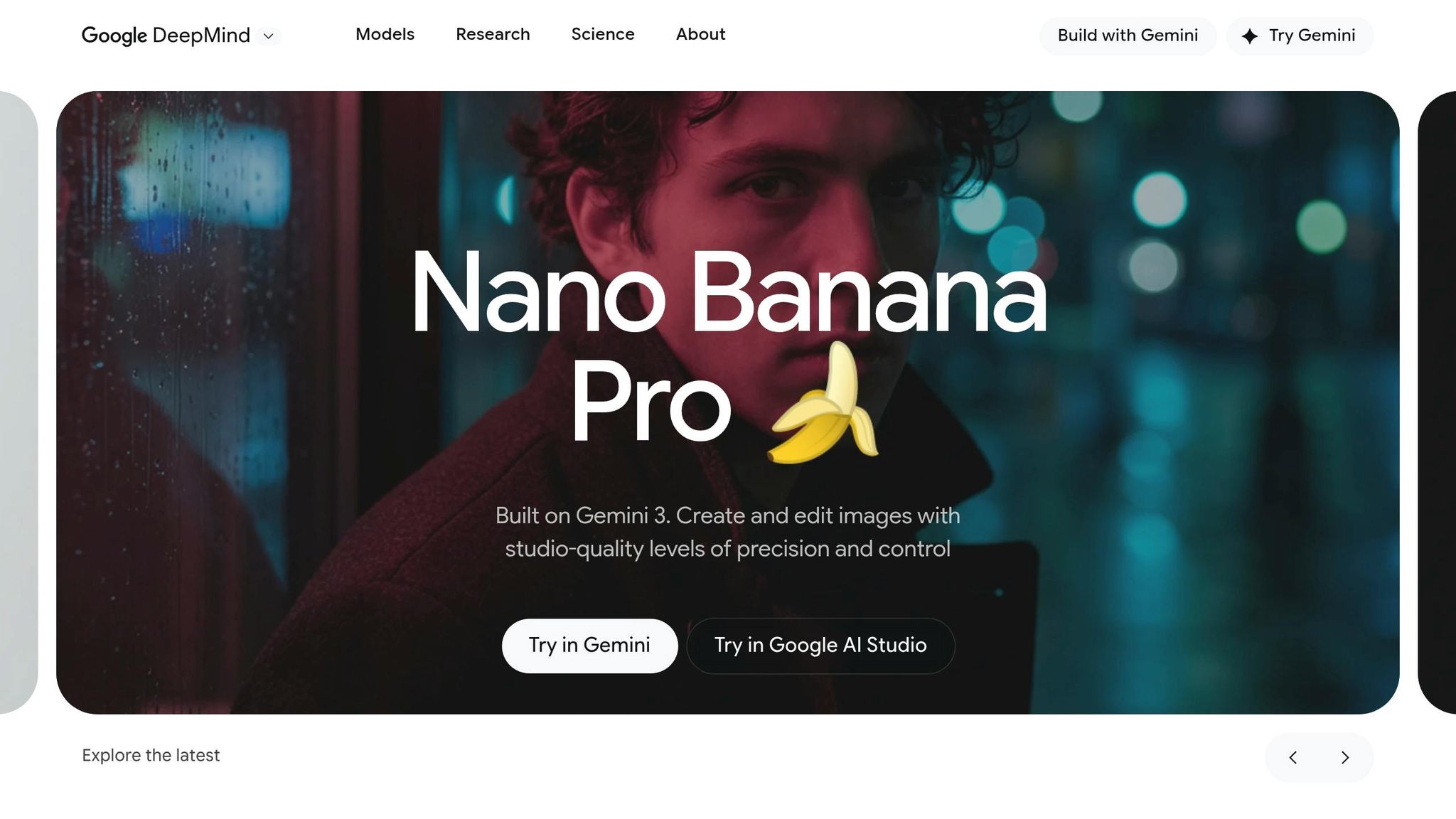
Creating visuals is effortless with Posterly’s built-in tools. Nano Banana Pro allows you to design thumbnails, graphics, and carousels directly within the workflow. It even offers niche-specific layouts with hooks, scripts, and overlays [6]. On the other hand, Google Veo creates cinematic reels and UGC-style videos in seconds, with six presets for content like product reviews, testimonials, and tutorials [1].
Both tools integrate seamlessly with Posterly’s AI Studio, which uses Google’s advanced models, including Gemini for text generation. The "Brand Voice & Visual Guidelines" feature ensures all content aligns with your brand identity. You can even drop AI-generated visuals straight into your calendar, making the transition from creation to publishing effortless [6].
| Feature | Starter (AED 26/mo) | Pro (AED 55/mo) | Power User (AED 92/mo) | Agency (AED 180/mo) |
|---|---|---|---|---|
| Nano Banana | 10 generations/mo | 30 generations/mo | Unlimited | Unlimited |
| AI Video (Veo) | Paid add-on | Paid add-on | 14 credits/mo included | 30 credits/mo included |
Ship & Share GitHub Integration
For developers and tech teams, Posterly’s Ship & Share feature is a game-changer. It converts GitHub code commits into social media posts, making it simple to share updates about product releases or bug fixes. This automation is especially useful for SaaS companies and agencies, ensuring technical updates are communicated without extra effort [1].
Google Business Profile and Review Management
Posterly goes beyond traditional social media by managing Google Reviews and Business Profiles from the same dashboard. It monitors customer feedback, generates AI-assisted review responses, and creates posts to highlight positive reviews [1]. Designed with businesses in the UAE in mind, this feature streamlines local SEO efforts and improves customer engagement. Tools like Google Review Email Campaigns automate follow-ups, while the Business Profile Auditor identifies ways to improve visibility in local searches [1].
Posterly Pricing Plans
::: @figure 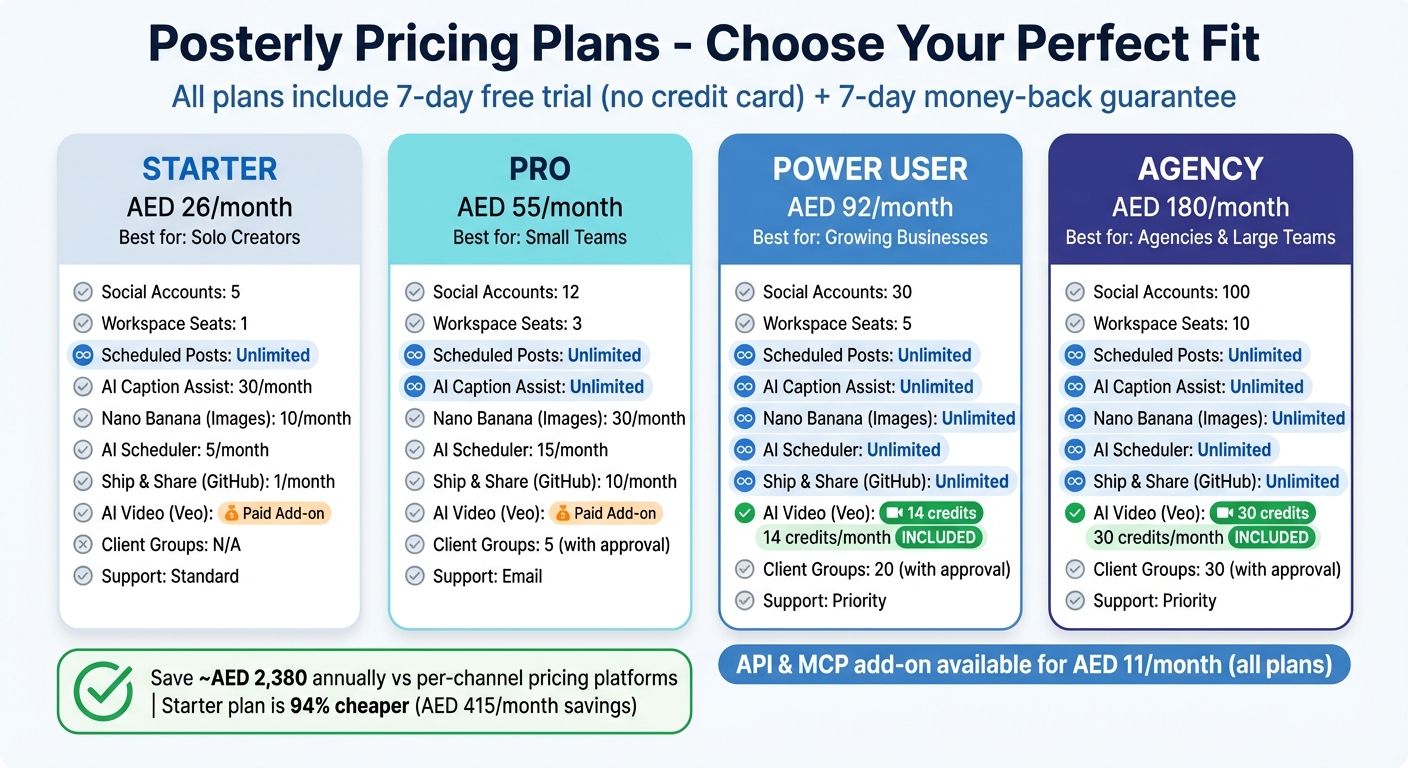 {Posterly Pricing Plans Comparison: Features and Costs for Social Media Scheduling}
:::
{Posterly Pricing Plans Comparison: Features and Costs for Social Media Scheduling}
:::
Posterly provides four pricing options tailored to fit different needs, whether you're an individual creator or an agency managing multiple brands. All plans come with a 7-day free trial - no credit card required - and a 7-day money-back guarantee [1]. Pricing begins at AED 26/month for the Starter plan, making it an affordable option for those new to AI-powered scheduling.
The main distinction between the plans lies in the number of social accounts you can link and the monthly AI allowances. For instance, the Starter plan supports 5 social accounts and includes 30 AI Caption Assist generations per month. On the other hand, the Agency plan accommodates 100 accounts, offers unlimited AI captions, and provides 30 monthly AI Video credits [1]. All plans include unlimited scheduled posts, access to Google Business Profile tools, and the unified composer - without any hidden fees or per-channel costs. Ready to dive in? Let’s explore the plan details further.
Plan Comparison Table
| Feature | Starter (AED 26/mo) | Pro (AED 55/mo) | Power User (AED 92/mo) | Agency (AED 180/mo) |
|---|---|---|---|---|
| Social Accounts | 5 | 12 | 30 | 100 |
| Workspace Seats | 1 | 3 | 5 | 10 |
| Scheduled Posts | Unlimited | Unlimited | Unlimited | Unlimited |
| AI Caption Assist | 30/month | Unlimited | Unlimited | Unlimited |
| Nano Banana (Images) | 10/month | 30/month | Unlimited | Unlimited |
| AI Scheduler | 5/month | 15/month | Unlimited | Unlimited |
| Ship & Share (GitHub) | 1/month | 10/month | Unlimited | Unlimited |
| AI Video (Veo) | Paid Add-on | Paid Add-on | 14 credits/month | 30 credits/month |
| Client Groups | N/A | 5 (with approval) | 20 (with approval) | 30 (with approval) |
| Support | Standard | Priority | Priority |
For solo creators managing up to five platforms, the Starter plan is a great fit. Teams that require collaboration tools should consider the Pro plan, which includes 3 workspace seats and guest approval links [1]. Agencies, however, will find the Agency plan most beneficial, thanks to features like per-client timezone scheduling that ensures posts align with each client’s local time in the UAE or globally [1]. Additionally, an API & MCP add-on is available for AED 11/month across all plans [1].
Switching to Posterly could save you around AED 2,380 annually compared to platforms that charge per channel [8]. The Starter plan alone is 94% cheaper than similar options, offering a monthly saving of AED 415 [8][9]. With no long-term commitment and flexible plans, Posterly stands out as a cost-effective solution [1].
Now that you’ve found the right plan, it’s time to set up your Posterly account and start connecting your platforms!
Setting Up Posterly
Head over to Posterly and click "Get started" to enjoy a 7-day free trial - no credit card needed [1]. Once signed up, you’ll land on a centralised dashboard where you can link your social media accounts and start managing content across more than 10 platforms. Next, let’s dive into how to connect your accounts and make the most of Posterly’s scheduling tools.
Creating Your Account and Connecting Platforms
After setting up your account, go to the Social Accounts tab in the dashboard sidebar. Here, you’ll find options to link platforms like Facebook, Instagram, LinkedIn, X, TikTok, and YouTube. Simply click on the platform you want to connect and follow the secure OAuth process to authorise access. Be sure to grant full permissions during this step to avoid issues with posting or analytics.
Keep in mind a few platform-specific requirements:
- Facebook and Instagram connections are limited to Business Pages or Creator Accounts (personal profiles aren’t supported).
- LinkedIn supports both personal profiles and company pages.
- TikTok works with both personal and business accounts.
If you’re linking multiple accounts from the same platform (e.g., two Facebook Pages), log into each account in separate browser tabs before starting. Also, ensure you have admin or owner access to the pages, as other roles may lack the necessary permissions.
"I've tried basically every scheduler out there but Posterly is the first one that doesn't feel like a second job tbh. If you're juggling Instagram, X, LinkedIn at the same time then this is a total lifesaver!" – Danisse Aboga [1]
Once your accounts are set up, you’re ready to create a posting schedule using Posterly’s AI Scheduler.
Setting Up Your Posting Schedule
With your accounts connected, you can start crafting a posting schedule. Posterly's AI Scheduler acts as a conversational assistant, letting you skip the manual work. For example, ask it to find the "best time to post next Tuesday", and it will suggest optimal time slots based on audience engagement data. It also ensures proper spacing between posts to maximise visibility.
You can organise your schedule in calendar, list, or table views, and the drag-and-drop calendar makes it easy to plan an entire month’s content in one go. Note: AI Scheduler usage varies by plan - Starter allows 5 requests per month, Pro offers 15, while Power User and Agency plans provide unlimited access [7].
Using AI Content Creation Tools
Posterly includes powerful tools like Nano Banana Pro for image generation and Google Veo for video creation, all accessible through its AI Studio. Nano Banana lets you create professional-quality carousels and thumbnails from simple text prompts, while Google Veo offers six presets - perfect for crafting product reviews, testimonials, unboxings, or tutorials.
To make your visuals even more impactful, use AI Caption Assist to generate captions tailored to each platform. The tool ensures captions stay within character limits and follow platform-specific best practices. Over time, it adapts to your brand’s tone for more customised suggestions.
Once your content is ready, the Smart Upload feature checks that your media meets platform requirements, so you can confidently schedule posts. Whether you want to add it to the queue or publish immediately using the "Post Now" option, Posterly makes the process seamless.
Advanced AI Scheduling Techniques
Once you're comfortable with the basics, you can take your social media strategy to the next level with Posterly's advanced tools. These include detailed analytics, smart content repurposing, and seamless collaboration features - all designed to make managing your workflow smoother and more efficient.
Tracking Performance with Analytics
Posterly doesn’t just automate your posts; it provides you with deep insights into their performance. Its unified dashboard offers a bird’s-eye view of all your scheduled posts across more than 10 platforms. You can switch between calendar, list, or table formats, making it easy to monitor and manage your content. The Post Activity Log, for instance, tracks every stage of your content’s lifecycle, helping you quickly address any issues.
If your business uses a Google Business Profile, Posterly’s Profile Auditor is a game-changer. It assigns a completeness score to your profile and offers actionable SEO tips, along with checks for NAP (Name, Address, Phone) consistency. Plus, the Google Reviews inbox consolidates all customer feedback in one place. With AI-crafted responses, you can maintain your brand’s voice while improving customer relationships.
The AI Scheduler doesn’t stop at automation - it actively tracks engagement patterns across all platforms, delivering real-time insights to help you refine your strategy.
"The queue monitoring gives me peace of mind. I know my posts will go out exactly when they should." – James Park[1]
These analytics not only optimise your posting strategy but also guide how you can effectively repurpose content for different platforms.
Repurposing Content Across Platforms
Posterly takes the hassle out of adapting content for multiple platforms. Its "Preview Per Platform" feature automatically adjusts tone, hashtags, and links to meet the unique requirements of each platform.[3][5]
With tools like AI Caption Assist and the Ship & Share GitHub integration, you can transform a single piece of content into multiple, platform-specific posts. This means no more starting from scratch every time you post.
"The caption generation alone saves me hours every week. Game changer for my content workflow." – Alex Chen[1]
Team Collaboration and Approval Workflows
Posterly also makes teamwork a breeze, thanks to its integrated approval workflows. The collaborative workspace allows teams to work together seamlessly, while external clients can review content through guest approval links - no Posterly account required. This eliminates the back-and-forth of email approvals, making the process much more efficient.
For agencies managing multiple brands, Posterly’s client containers are a lifesaver. Each brand’s content and settings are neatly organised, even when you’re juggling dozens of accounts. You can assign specific roles within your workspace - some team members can focus on drafting, while others handle final approvals. This structure keeps things running smoothly and ensures brand consistency.[10]
Posterly’s pricing is designed to fit different needs. The Pro plan, at AED 55/month, includes 3 workspace seats and 5 client groups with approval flows. For larger teams, the Agency plan offers 10 workspace seats and 30 client groups for AED 180/month.[1]
"Run your agency from one place - teammates collaborate internally, clients review and approve externally." – Posterly[1]
Wrapping Up
Managing social media doesn’t have to feel like a never-ending task. With AI-powered scheduling, what used to take hours can now be done in just minutes. Posterly brings everything you need into one centralised dashboard, covering platforms like Instagram, TikTok, LinkedIn, and Google Business Profile.
But this isn’t just about automation - it’s about working smarter. Posterly’s AI tools simplify scheduling, allowing you to focus your energy on crafting engaging content instead of dealing with tedious logistics. Over time, the AI adapts to your brand’s voice, ensuring your posts remain consistent and genuine while helping you avoid creative burnout. Solo creators have reported slashing their scheduling time by 70%, and teams are reclaiming hours every week.
Posterly’s features are designed to streamline your entire social media strategy. Whether you’re an independent creator, part of a growing team, or an agency managing multiple clients, the platform grows with your needs. Plus, every plan includes a 7-day trial, so you can explore all the tools before making a decision.
With its unified calendar view and reliable infrastructure built on Redis and BullMQ, Posterly ensures your posts go live exactly when they’re supposed to - no missed opportunities or lost content. For agencies, features like client approval flows and guest reviewer links make collaboration seamless, even without requiring clients to sign up for accounts.
If you’re ready to spend less time juggling platforms and more time creating, Posterly has the tools to make it happen. Start your 7-day trial today and see how AI-driven scheduling can revolutionise your workflow.
FAQs
::: faq
How does Posterly decide the best time to post?
Posterly works to pinpoint the optimal times for posting by studying your audience's activity and engagement trends. This means your content gets published when your audience is most active, boosting its chances of being seen and interacted with. :::
::: faq
Does Posterly automatically resize and reformat my content for each platform?
Posterly takes care of resizing your content to fit the unique size and format specifications of different platforms. This way, your posts maintain a polished, professional appearance and are perfectly suited for platforms like Instagram, Facebook, TikTok, and others. :::
::: faq
What permissions do I need to connect my social accounts and publish posts?
To use Posterly for posting on your social accounts, you'll need to have the right permissions in place for each platform. For Facebook and Instagram, this means having admin access to Facebook Pages as well as a Professional Instagram account that's linked to one of those Pages. Additionally, you'll need to authorise API tokens, and remember to reauthorise them if they expire. These steps ensure your accounts are securely connected and ready for content publishing. :::
Related Articles
How to Create 30 Days of Social Media Content Using AI Images in posterly
A practical guide to generating a full month of original social media images with posterly's AI image tool, writing captions for each one, and scheduling everything in a single session.
Read moreHow to Find the Best Time to Post on Social Media Using posterly's AI Scheduler
Stop guessing when to post. This guide explains how posterly's AI Scheduler analyses your audience activity and automatically picks the best posting times so your content gets seen by more people.
Read moreHow to Manage Google Business Reviews on Autopilot With posterly
A step-by-step guide to responding to Google reviews with AI, automatically requesting new reviews from customers, auditing your profile for local SEO, and turning your best reviews into social media content.
Read moreHow to Manage Multiple Client Social Media Accounts With posterly Workspaces
A practical guide for agencies and teams on using posterly Workspaces to organise client accounts, assign roles, get content approved, and schedule posts across dozens of social profiles without things getting messy.
Read more